
Secure Your Digital Life in One Weekend: The 2026 Checklist, in Order
You can work through a full personal security checklist in one weekend if you go in order of impact: accounts, phone number, and devices on Saturday, then credit freezes, a family safe word, data broker opt-outs, and backups on Sunday.
You can get through my personal security and privacy checklist in one weekend if you do it in the right order. Saturday goes to your accounts, your phone number, and your devices, because those close the routes attackers use most. Sunday goes to credit freezes, a family safe word, data broker opt-outs, privacy settings, and backups. This post is the plan for those two days, and what each step actually protects you from.
I refreshed the checklist for 2026 in October. Passkeys are now at the top, forced password rotation came out, and three items are new: carrier number locks, a family safe word for AI voice-clone scams, and California's one-request data broker deletion tool. The checklist is the reference. This post is the sequence and the reasoning.
Why order matters more than the list
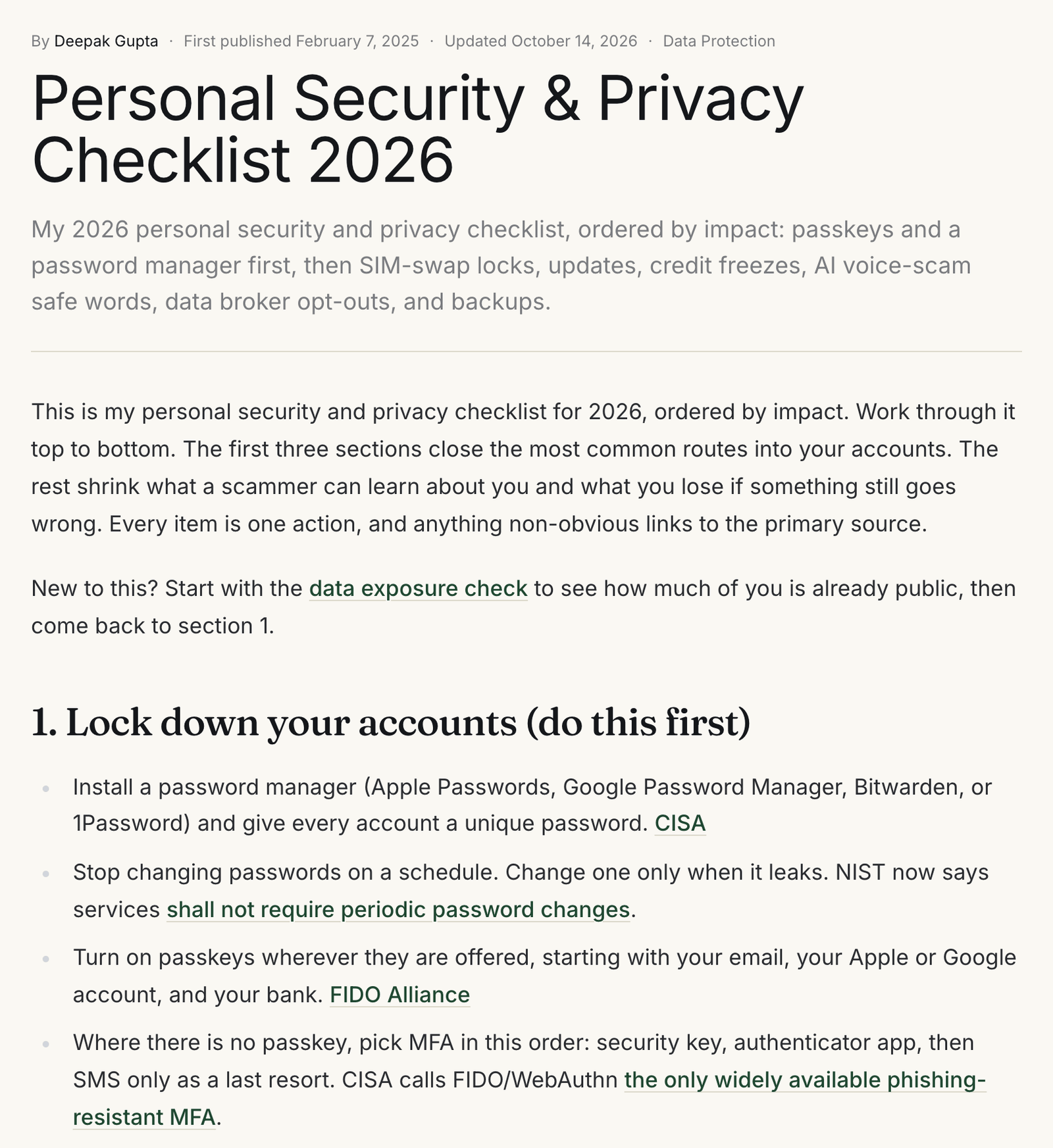
Most security checklists are flat. Antivirus sits next to passkeys, and a privacy browser sits next to a credit freeze, as if each carried the same weight. They do not. A reader with a free weekend who starts at the wrong end can finish tired, with the browser extensions installed and the email account still guarded by a reused password.
My view, after 15 years building identity systems, is that personal security fails at the account layer first. Your email inbox is the reset button for nearly everything else you own online. If someone controls it, the rest of the checklist barely matters. So the order below runs from "stops takeover of what you have" to "limits damage when something goes wrong anyway."
Budget roughly three hours on Saturday and three on Sunday. Those are my estimates for someone with a phone, a laptop, and a typical number of accounts. You can split it across two weekends without losing much, as long as you keep the order.
Saturday morning: lock down your accounts
What it protects against: credential stuffing (attackers replaying passwords leaked from one site on others), phishing, and full account takeover.
Start with a password manager. Apple Passwords and Google Password Manager are already on most phones, and Bitwarden and 1Password work across every platform. Move your email, bank, Apple or Google account, and phone carrier login into it first. Give each one a long, unique, generated password. Leave the long tail of forum and shopping accounts for later.
Then stop doing one thing the old version of my checklist told you to do. It said to rotate critical passwords every six to twelve months. NIST's current digital identity guideline now says services shall not require periodic password changes, only a change when there is evidence of compromise. Scheduled rotation mostly produces predictable variations of the same password. Change a password when it leaks, not when the calendar says so.
To find out which ones have leaked, run your important passwords through the password breach check. It runs in your browser, and the password never leaves your device. For anything that turns up, this step-by-step plan covers what to change and in what order.
Next, passkeys. A passkey is a login credential stored on your device and bound to the real website, so there is no shared secret for a breach to leak or a fake page to capture. Turn them on for your email, your Apple or Google account, and your bank wherever offered. If you want the mechanics, my passkeys vs passwords comparison walks through them.
Where a site has no passkey option, choose multi-factor authentication (MFA) in this order: security key, then authenticator app or on-device prompt, then SMS. The gap between them is measurable. Google's 2019 account-hijacking research found SMS codes blocked 76% of targeted attacks and on-device prompts 90%. In the same study, zero users who relied only on security keys fell to targeted phishing.
Any MFA still beats none. A 2023 study by Microsoft researchers found MFA reduced the risk of compromise by 99.22% across the accounts they studied. CISA goes further on method: it calls FIDO/WebAuthn the only widely available phishing-resistant authentication.
Finish the morning by saving recovery codes for each of those accounts, and by reviewing signed-in devices in Google Security Checkup and your Apple Account.
Saturday midday: protect your phone number
What it protects against: SIM swaps and port-outs, where an attacker convinces your carrier to move your number to their SIM and then receives your SMS codes and password reset texts.
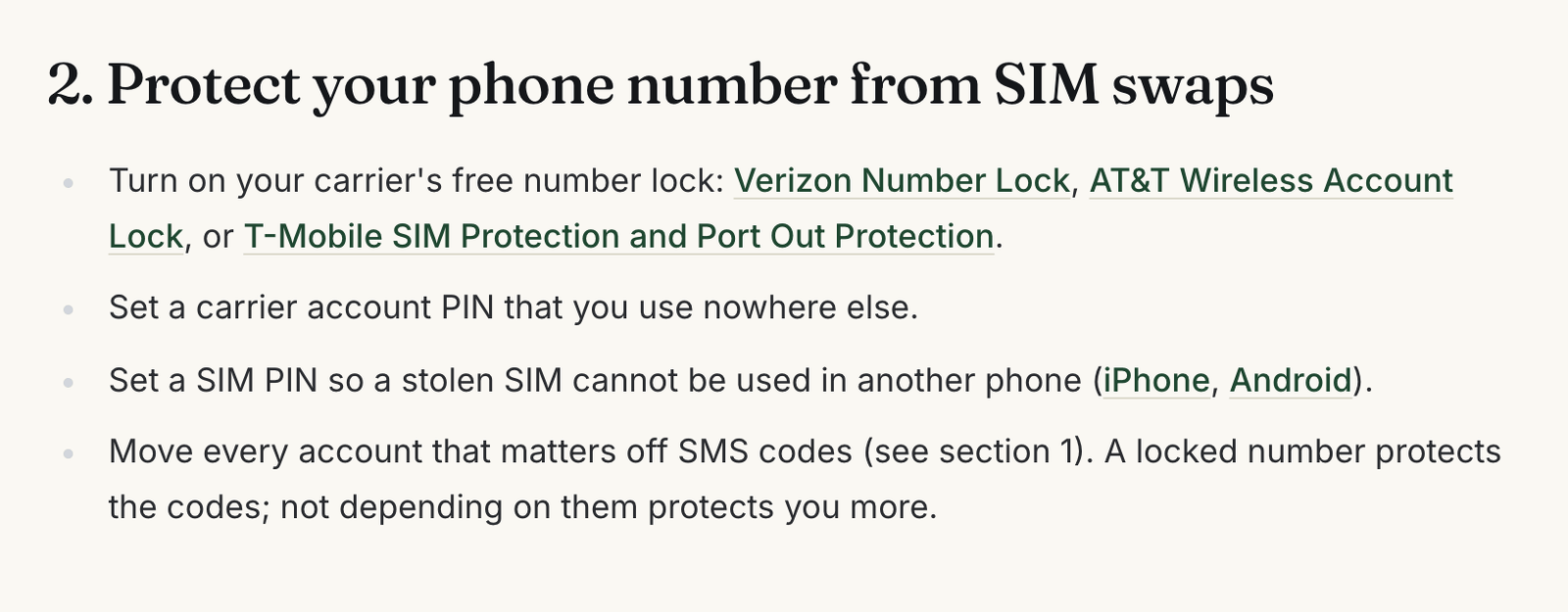
This is the highest-value fifteen minutes on the whole list. All three major US carriers now offer a free lock on the account: Verizon Number Lock, AT&T Wireless Account Lock, and T-Mobile's SIM Protection and Port Out Protection. Turn it on in the carrier's app. While you are there, set an account PIN you use nowhere else.
Add a SIM PIN on the phone itself, so a stolen physical SIM cannot be used in another handset. If you are weighing eSIM against a physical card, my eSIM vs iSIM vs SIM breakdown covers the attack surface of each.
The lock is a backstop, not the fix. The real fix is the work you did in the morning: an account that signs in with a passkey does not care who holds your phone number.
Saturday afternoon: devices and updates
What it protects against: exploited software flaws, and the thief who watches you type your passcode before taking your phone.
Turn on automatic updates for the phone, the computer, the browser, and apps. CISA's update guidance is short and worth a read. Then make the phone harder to abuse if it is stolen while unlocked. On iPhone, turn on Stolen Device Protection, which requires Face ID or Touch ID for sensitive changes away from familiar locations. On Android, turn on Theft Detection Lock and Offline Device Lock.
Confirm FileVault or BitLocker is on for your laptop, update your home router, and change its default admin password. Then delete apps you have not opened in months. Each one is a permission set and an update you no longer have to think about.
Sunday morning: freeze your credit
What it protects against: new-account fraud, where someone opens credit, a phone line, or a utility account in your name using data that has already leaked.
A credit freeze blocks lenders from reading your report, so new credit in your name is hard to open. The FTC notes it is free to place and lift and does not affect your credit score. You have to do it at each of Equifax, Experian, and TransUnion separately. The checklist adds NCTUE, the exchange for utility and phone accounts.
While you are in this mindset, get an IRS Identity Protection PIN. It stops anyone else from filing a federal return with your Social Security number. Turn on transaction alerts for every card and bank account too. A freeze stops new accounts; alerts catch misuse of the ones you have.
Sunday midday: the family safe word
What it protects against: AI voice-clone and impersonation scams, where a caller sounds like your child or parent and needs money now.
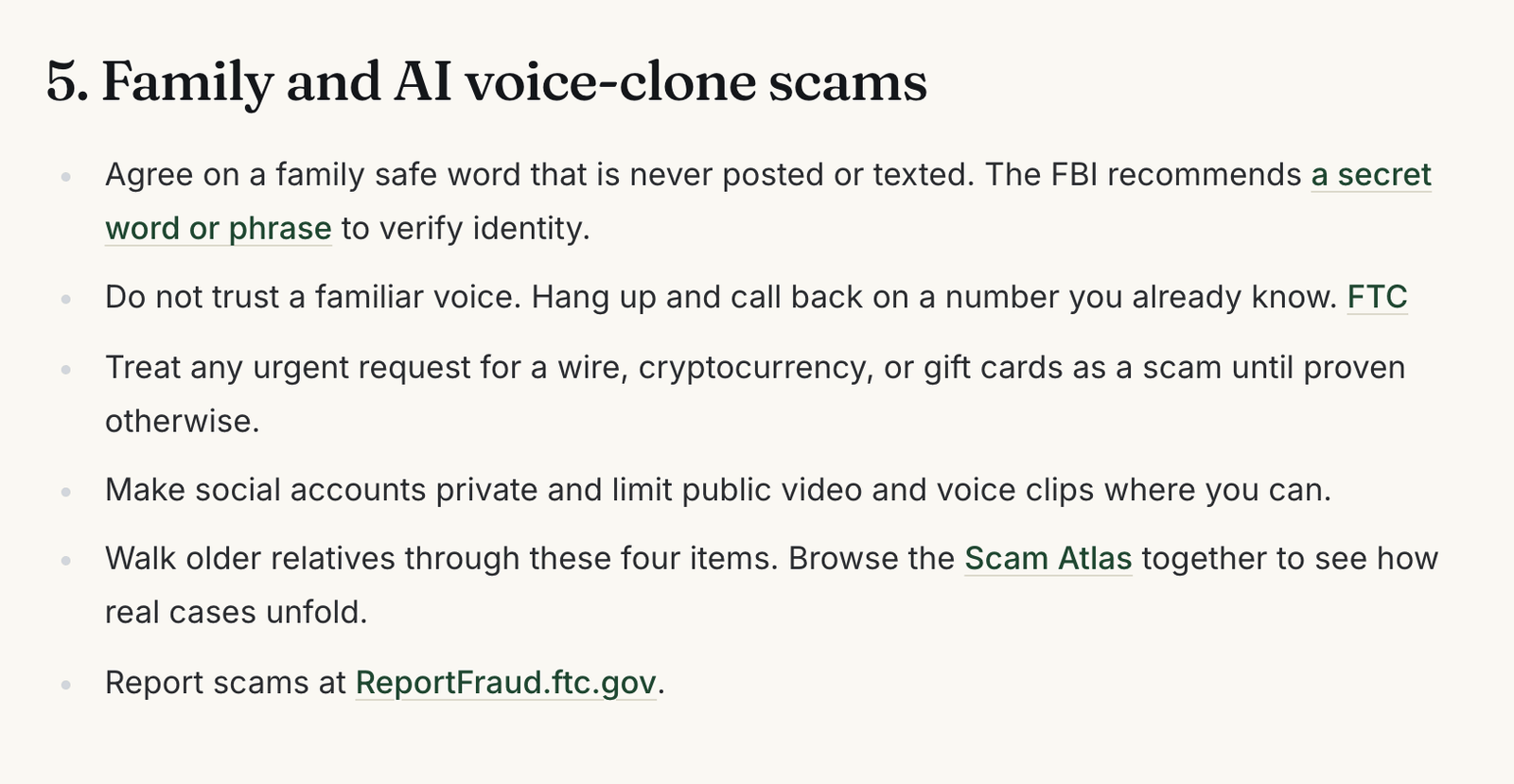
This section costs nothing and takes one dinner conversation. The FBI's advice on generative AI fraud starts with it: create a secret word or phrase with your family to verify identity. Pick something never posted online and never sent by text. Agree that anyone asking for urgent money must say it.
Pair it with the FTC's rule for these calls: do not trust the voice, hang up, and call back on a number you already know. A request for a wire, cryptocurrency, or gift cards is the tell.
The stakes are not small. Americans reported $20.9 billion in losses to the FBI in 2025, and I broke down which scams drove that number in a separate post. If you are walking an older relative through this, the Scam Atlas entry on the grandparent voice-clone scam shows how the call usually unfolds.
Sunday afternoon: shrink your data footprint
What it protects against: targeting. Your address, phone number, relatives, and age on people-search sites are the raw material for convincing phishing, impersonation, and the voice-clone call above.
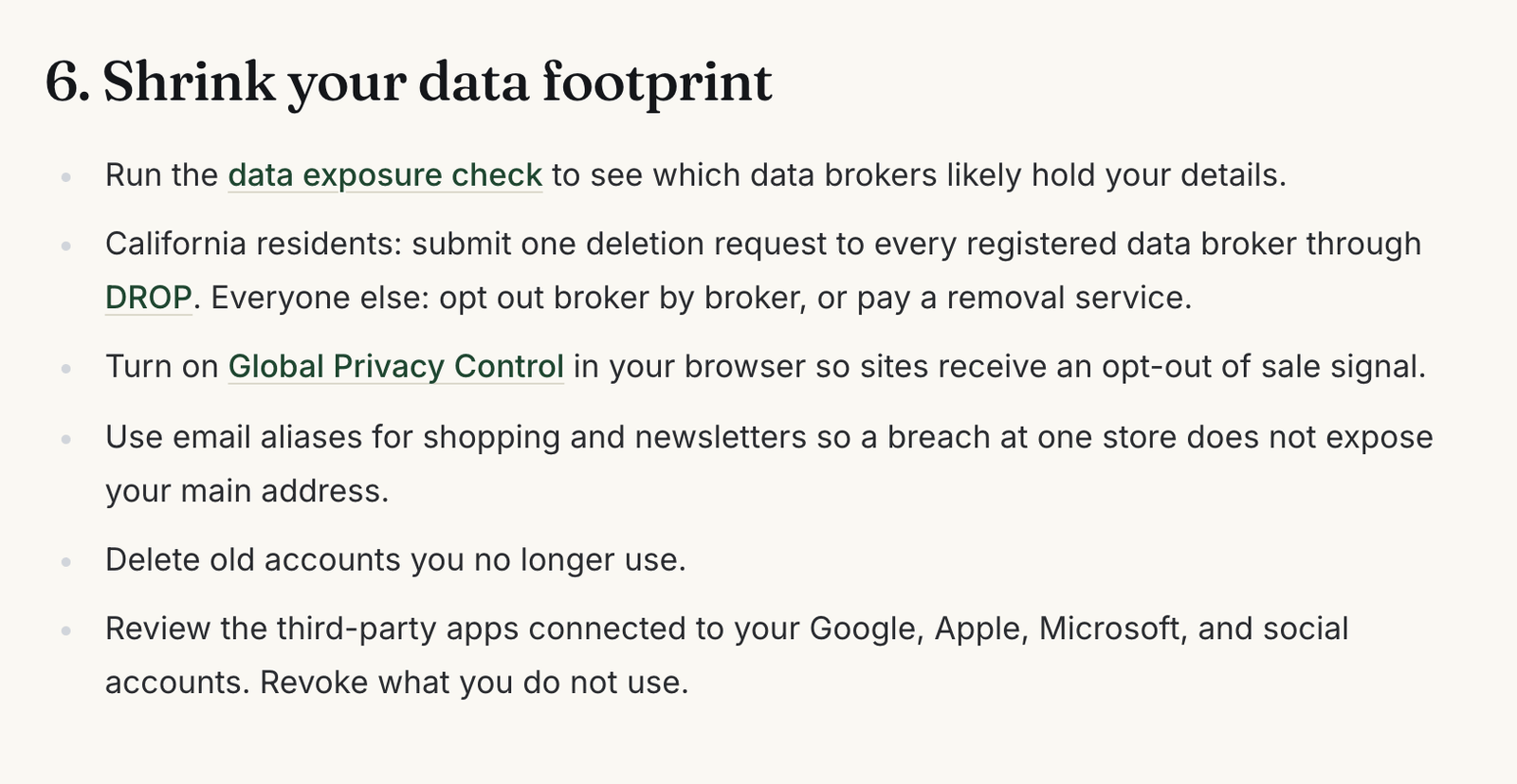
Run the data exposure check first. It estimates how much of your profile is likely on data broker sites from a handful of yes-or-no questions, runs in your browser, and gives you an ordered opt-out plan. My guide to the exposure check explains how to read the result.
If you live in California, this is the year opting out got easier. The state's Delete Request and Opt-out Platform (DROP) lets residents send one deletion request to every registered data broker. Brokers had to start processing those requests on August 1, 2026. Everyone else still opts out broker by broker or pays a removal service.
Then turn on Global Privacy Control in your browser, start using email aliases for shopping, and revoke third-party apps connected to your Google, Apple, and social accounts.
Sunday evening: privacy settings and backups
What it protects against: network-level tracking, and losing years of photos and documents to a dead drive, a stolen laptop, or ransomware.
Encrypt your DNS lookups, so your network provider cannot read every site you visit from the lookup alone. iCloud Private Relay does this on Apple devices, and Android's Private DNS setting does it on Android. If you use iCloud, consider Advanced Data Protection, which end-to-end encrypts most iCloud data, including backups.
For backups, keep two copies: automatic cloud backup, plus an external drive you disconnect after each run. Restore one file from each to prove they work. Then plan for the day you cannot sign in: add an Apple recovery contact or set up Google's Inactive Account Manager, and give one trusted person emergency access to your password manager.
What this checklist cannot do
It cannot undo exposure that already happened. Your data is in breach dumps and broker databases today, and a freeze or opt-out limits future use rather than erasing the past. It also cannot protect an account whose provider is breached on its own servers. Finally, it is written for US readers: the carrier locks, credit bureaus, IRS PIN, and DROP are US mechanisms, though the account and family sections apply anywhere.
It is also not a substitute for judgment in the moment. The safe word works only if the person on the call remembers to ask for it.
After the weekend
The checklist ends with a ten-minute monthly checkup: install pending updates, check your password manager's breach report, review signed-in devices, scan statements, and confirm the carrier lock and freezes are still on. Put it on the calendar now. If you travel this year, add my travel security checklist before the trip.
FAQ
What should I do first if I only have one hour?
Secure your primary email account: unique password in a password manager, a passkey or security key, and saved recovery codes. Then turn on your carrier's number lock. Those two steps cover the account most attackers want and the most common way around SMS codes.
Do I still need to change my passwords regularly?
No. NIST's current guidance says services should not force periodic changes. Change a password when it appears in a breach or you suspect compromise, and use a password manager so each one is unique.
Is SMS two-factor authentication still worth using?
Yes, if it is the only option. It blocks most automated and bulk attacks. It is weakest against targeted attacks and SIM swaps, so prefer a passkey, security key, or authenticator app wherever a site offers one, and lock your number with your carrier.
Does a credit freeze hurt my credit score?
No. The FTC says a freeze is free and does not affect your score. You lift it temporarily, online, when you apply for credit, then put it back.
Is this checklist only for people in the US?
The account, device, family, privacy, and backup sections apply anywhere. The carrier lock names, credit bureaus, IRS PIN, and California's DROP are US-specific. Look for your country's equivalents.
More like this
All Scams & Cybersecurity- Scams & CybersecurityTravel Security Checklist: A Practical 2026 GuideA founder's practical travel security checklist for 2026: realistic threats, what to actually do before, during, and after a trip, and…
- Identity & CIAMHas Your Password Leaked? Check It, Then Replace ItThe free password breach check estimates strength and checks Have I Been Pwned without your password leaving the browser. Here is how it…
- Scams & CybersecurityHow Much of You Is on Data Broker Sites? A Free Exposure CheckData brokers hold a profile of nearly every US adult. This free, browser-only check estimates how exposed you are and gives you an…
Get new Scams & Cybersecurity writing
Enjoyed this? Subscribe and tell us what you read most. Scams & Cybersecurity is already ticked for you. No tracking pixels, unsubscribe with one click.