
Browser Security Architecture: Sandboxing, Tracking, and Data Collection Compared
Every browser comparison argues about which to pick. This one is about the mechanisms underneath: how process isolation and sandboxing differ by engine, what each vendor's business model makes it collect, and why Chromium-based does not mean equivalent.
Reviewed August 2026. This page covers how browser security is built: the isolation and sandboxing mechanisms, the tracking defences, and the data-collection practices that follow from each vendor's business model. Market-share and adoption figures are as of mid-2025 and are dated inline. If your question is which browser to actually use, that is answered separately in Most Secure Browser 2026: Chrome vs Firefox vs Brave vs Safari.
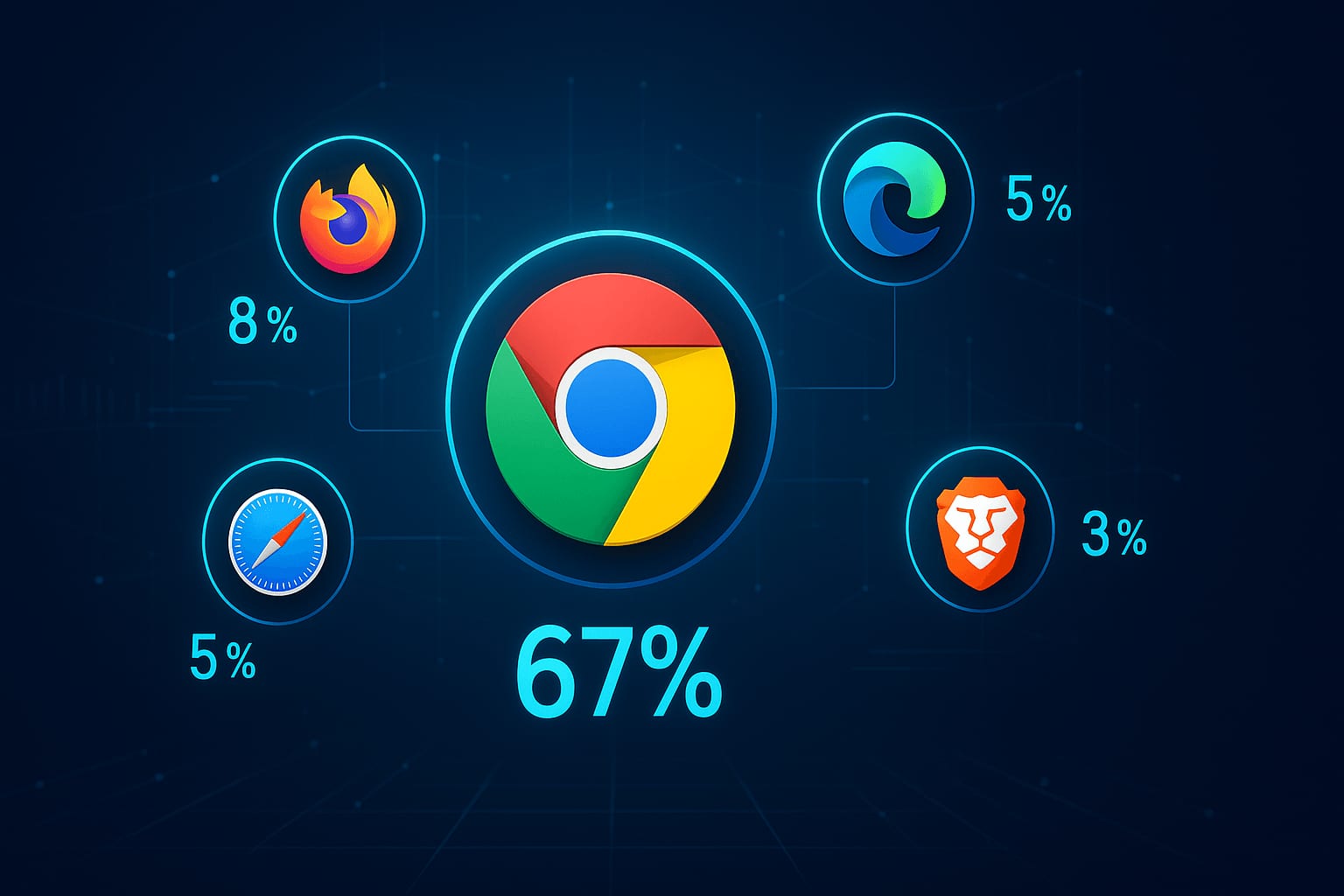
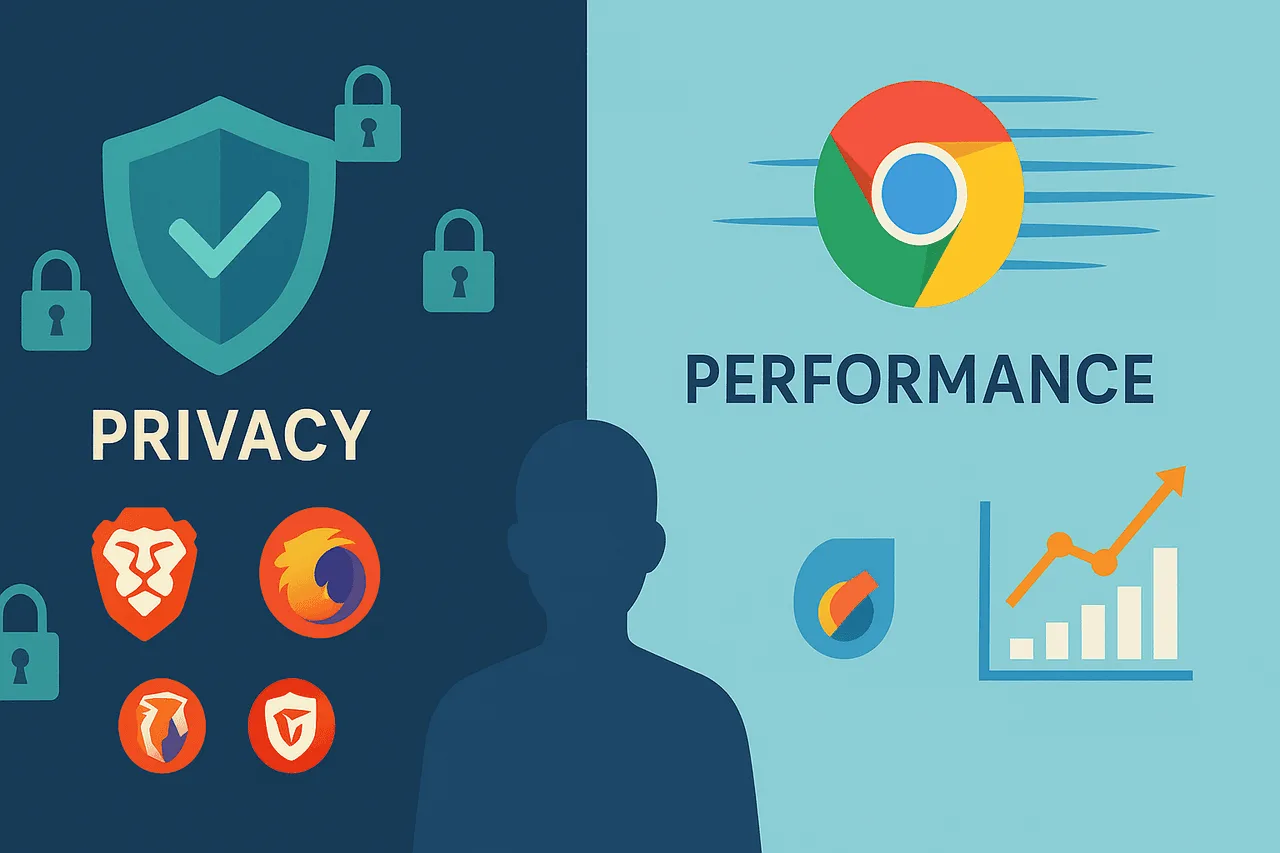
The browser market in 2025 reflected a fundamental tension between performance and privacy. Google Chrome maintained its commanding lead with roughly two-thirds of global browser share. Privacy-focused browsers saw unprecedented growth: Brave passed 101 million monthly active users (as of September 2025), and DuckDuckGo continued publishing its own traffic statistics showing billions of monthly search queries. This shift signaled users were increasingly willing to trade some convenience for enhanced privacy protection.
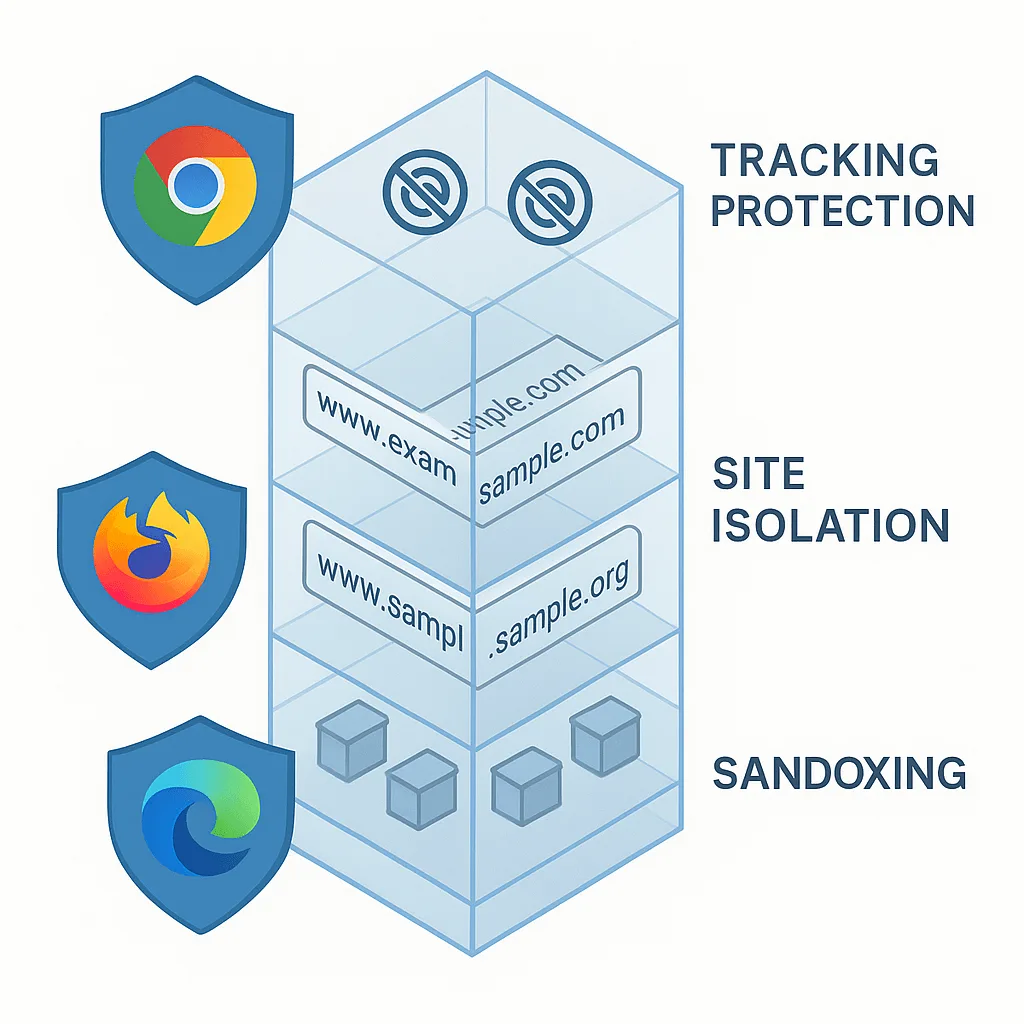
The security landscape had evolved dramatically, with major browsers implementing sophisticated protections like site isolation and enhanced tracking prevention, while specialized privacy browsers offered built-in ad blocking and fingerprinting resistance. However, choosing the right browser required understanding complex trade-offs between security features, privacy practices, performance characteristics, and real-world usability.
Current browser dominance told a complex story
Google Chrome continued its overwhelming market dominance, holding roughly two-thirds of global browser share, but regional variations revealed interesting patterns. In North America, Safari claimed close to 29% share due to iPhone penetration, while Chrome held about 53%. Chrome commanded roughly 78% in South America and 77% across Asia, highlighting how ecosystem preferences vary dramatically by geography.
Microsoft Edge had emerged as the clear third player, growing from 4.96% to 5.35% global share in 2024 and holding roughly 5% of global share (as of mid-2025). Edge's enterprise-focused approach and Windows integration had helped it surpass Firefox, which held under 4% of global share at the time despite maintaining loyal users among privacy-conscious demographics.
The mobile-versus-desktop divide added additional complexity. Chrome dominated mobile browsing too, holding about 67% of mobile share compared to Safari's 25%. Desktop and mobile usage patterns differed enough that browser choice mattered differently depending on the device.
Privacy-focused browsers showed remarkable growth trajectories through this period, with Brave and DuckDuckGo both posting steady user gains as a meaningful segment of users chose to prioritize privacy over market dominance.
| Browser | Global market share | Security highlights | Privacy / data collection |
|---|---|---|---|
| Chrome | ~68% global; ~53% in North America, ~78% in South America, ~77% in Asia, ~67% of mobile traffic | Site Isolation sandboxing (Spectre/Meltdown defense); Enhanced Safe Browsing; actively exploited zero-days patched in 2024, including CVE-2024-7971 and CVE-2024-7965 | Syncs history, bookmarks, and passwords when signed in; sends every typed URL to Google; tracks granular Web & App Activity |
| Firefox | ~3% global | Enhanced Tracking Protection blocks trackers and cross-site cookies by default; DNS over HTTPS; Fission site isolation still less mature than Chromium, with weaker sandboxing | Telemetry on by default but fully disable-able; data retained 13 months, deleted within 30 days of opt-out; funded primarily by royalties from search partnerships, chiefly Google, not by user data |
| Brave | 101 million monthly active users as of September 2025 (Brave's own published figure) | Chromium-based sandboxing plus Shields, which block trackers and ads by default; fingerprinting "farbling" via per-session, per-site randomization; built-in Tor integration for private browsing | Collects only minimal anonymous usage statistics, no personal data; BAT ad system matches ads on-device |
| Safari | ~29% in North America; ~25% of mobile traffic | Blocks third-party cookies by default via Intelligent Tracking Prevention; platform-optimized sandboxing on macOS and iOS | Strong default privacy protections; Apple-only, with no cross-platform sync outside the Apple ecosystem |
| Edge | Grew from 4.96% to 5.35% global share in 2024, the clear third-place browser | Enhanced Security Mode disables JIT JavaScript compilation on unfamiliar sites; Microsoft Defender SmartScreen real-time reputation checks | Collects required and optional diagnostic data that cannot be fully disabled; a 2020 Trinity College Dublin study found Edge among the least private browsers tested, sending persistent identifiers |
Technical security features reveal stark differences
Modern browser security relies on sophisticated multi-layered architectures, but implementation quality varied significantly across platforms during this period. Chrome and Edge benefited from Chromium's mature security foundation, implementing some of the most robust sandboxing and site isolation technologies available at the time.
Chrome's security architecture led in comprehensiveness. Site Isolation created separate sandboxed processes for each website, providing protection against Spectre and Meltdown vulnerabilities. Enhanced Safe Browsing mode offered real-time phishing protection using machine learning to detect emerging threats. That security posture came with a real cost: Chrome shipped emergency patches for actively exploited zero-days in 2024, including CVE-2024-7971 and CVE-2024-7965, both fixed in the August 2024 stable channel update.
Microsoft Edge combined Chromium's security with Microsoft-specific enhancements. Enhanced Security Mode disabled JIT JavaScript compilation on unfamiliar sites, reducing memory-related vulnerabilities while maintaining performance on trusted domains. Microsoft Defender SmartScreen provided real-time reputation checks integrated with Microsoft's threat intelligence. However, Edge inherited Chromium's vulnerability burden while adding Microsoft-specific attack surfaces.
Firefox offered independent security architecture with unique strengths and limitations. Enhanced Tracking Protection blocked social media trackers and cross-site cookies by default, while DNS over HTTPS encrypted DNS queries to prevent eavesdropping. Firefox's Fission site isolation implementation was catching up to Chromium but remained less mature. The browser's independent development provided diversification benefits, different bugs, different attack vectors, but weaker sandboxing compared to Chromium-based alternatives limited its security ceiling.
Brave inherited Chromium's security while adding privacy-focused enhancements. Built-in Shields blocked trackers and ads by default, while fingerprinting protection used randomization to prevent cross-site tracking identification. Brave's HTTPS Everywhere implementation and Tor integration for private browsing provided additional security layers without requiring extensions.
Brave browser represented a privacy-first design philosophy
Brave had emerged as the most compelling privacy-focused mainstream browser, passing 101 million monthly active users by September 2025 through aggressive default protections and innovative monetization. Brave Shields blocked more trackers than most other mainstream browsers by default, using EasyList, EasyPrivacy, and uBlock Origin filter lists with aggressive and standard blocking modes.
The browser's fingerprinting protection employed sophisticated randomization techniques, implementing per-session, per-site randomization seeds that prevent cross-site tracking while maintaining website compatibility. This "farbling" technology represented a significant advancement over simple fingerprinting blocking, which often breaks website functionality.
Brave's Basic Attention Token (BAT) system offered privacy-respecting advertising. Users could opt in to view ads and earn BAT tokens, with ad matching happening locally on-device without sending personal data to Brave's servers. This approach generated revenue while maintaining privacy, tokens could support content creators or be converted to cash.
Brave's technical implementation included CNAME uncloaking to detect hidden trackers, ephemeral third-party storage partitioning, and automatic HTTPS upgrades. The browser integrated Tor for private browsing, providing anonymity capabilities without requiring separate software. However, Brave's dependence on Chromium meant it inherited security vulnerabilities from that codebase, and its smaller user base limited threat intelligence compared to mainstream browsers.
Privacy-focused alternatives offered specialized protections
Beyond Brave, several browsers targeted specific privacy use cases with varying approaches to user protection and anonymity.
DuckDuckGo Browser emphasized simplicity with comprehensive tracker blocking. The browser automatically blocked hidden trackers by default, handled cookie consent pop-ups, and provided Global Privacy Control signaling; DuckDuckGo publishes its own aggregate traffic statistics, which showed billions of monthly search queries during this period. However, DuckDuckGo's 2022 controversy over Microsoft tracker exceptions, tied to a search syndication agreement, highlighted the complexity of privacy implementations even among privacy-focused products.
Tor Browser prioritized anonymity over convenience. Onion routing through multiple encrypted layers provided strong anonymity protection, while aggressive security settings blocked JavaScript and plugins that could reveal user identity. Three security levels, Standard, Safer, and Safest, allowed users to balance anonymity with functionality. However, significantly slower browsing speeds, limited website compatibility, and exit node vulnerabilities made Tor unsuitable for everyday browsing for most users.
Specialized privacy browsers filled niche needs. Ungoogled Chromium removed all Google services from Chromium but required manual updates and technical knowledge. LibreWolf provided a hardened Firefox fork with telemetry and Mozilla services removed, offering frequent releases within three days of Firefox updates. These browsers served technically sophisticated users willing to sacrifice convenience for maximum privacy control.
Data collection practices revealed fundamental business model differences
The extent and nature of data collection varied dramatically across browsers, reflecting their underlying business models and revenue sources. Understanding these practices was crucial for users making informed privacy decisions.
Google Chrome's data collection reflected its advertising-dependent business model. When users signed in, Chrome synced browsing history, bookmarks, passwords, and preferences across devices. Every URL typed in the address bar was sent to Google services, search autocomplete sent web addresses in real-time, and Chrome scanned executable program hashes against Safe Browsing. Google's Web & App Activity setting tracked granular details including location data, websites visited, and app usage patterns.
Microsoft Edge collected diagnostic data that could not be fully disabled. Microsoft's own documentation distinguishes required diagnostic data (device connectivity, configuration, app version) from optional diagnostic data (usage patterns, websites visited, crash reports). A 2020 Trinity College Dublin study found Edge, alongside Yandex, among the least private browsers tested. It reported both sending persistent identifiers that enabled long-term tracking even when privacy settings were adjusted. That study is now several years old, and browser telemetry practices have continued to evolve since.
Mozilla Firefox took a more transparent approach to data collection. Telemetry collected technical and interaction data by default but could be completely disabled. Firefox's revenue model relied primarily on royalties from search-engine partnerships, chiefly Google, rather than user data monetization; Mozilla's own annual financial disclosures show search royalties as the large majority of Mozilla Corporation's revenue. Telemetry data was retained for 13 months and deleted within 30 days of opt-out, providing clearer data lifecycle management.
Privacy-focused browsers minimized data collection by design. Brave collected minimal anonymous usage statistics without personal data, while DuckDuckGo did not store search history or share user data with third parties. Tor Browser collected no data and stored nothing between sessions. These approaches demonstrated that functional browsers can operate without extensive user surveillance.
Performance carries real trade-offs
Browser performance spans several dimensions, speed, resource usage, battery life, and functionality, and different browsers made different trade-offs based on their architectural choices.
Chromium-based browsers (Chrome, Edge, Brave) generally led on raw JavaScript execution speed, reflecting Google's heavy investment in the V8 engine. That speed came with a resource cost: Chrome's aggressive pre-loading and per-site sandboxing are well known to push memory usage higher than lighter alternatives. Firefox consistently trailed Chromium browsers on synthetic speed benchmarks while offering more configurability. Safari's tight integration with Apple's hardware gave it an edge on graphics performance and energy efficiency, but only on macOS and iOS, an advantage it cannot carry onto platforms it does not run on.
Independent, dated benchmark numbers, Speedometer scores, exact RAM figures, battery-life minutes, change with every browser release and test rig, so they are omitted here rather than reproduced from stale, unsourced figures. Check browserbench.org's own Speedometer benchmark directly for current results if performance is your deciding factor.
Enterprise security demands specialized browser solutions
Enterprise browser requirements differ fundamentally from consumer needs, emphasizing security controls, policy management, and compliance capabilities over individual privacy protections.
Chrome Enterprise leads enterprise adoption, holding a 4.7/5 rating from more than 1,700 reviews on G2 (as of August 2026). Advanced context-aware access controls, Data Loss Prevention (DLP), and Zero Trust integration have made it attractive for large-scale deployments despite privacy concerns.
Island Enterprise Browser reached a $4.8 billion valuation (as of March 2025) after a $250 million Series E round led by Coatue Management. Its native security workflow integration and specialized enterprise features address organizational security requirements that general-purpose browsers do not match, though its G2 review base remains far smaller than Chrome Enterprise's.
Microsoft Edge for Business provides seamless ecosystem integration with Copilot features and Microsoft 365/Windows 11 connectivity. Enterprise-grade security features and familiar Microsoft management tools appeal to organizations already invested in Microsoft infrastructure.
Enterprise browser security emphasizes different priorities than consumer protection: preventing data exfiltration, managing user access, and maintaining compliance often matter more than blocking advertising trackers or preventing behavioral profiling.
Trends reshaping browser development
The browser landscape in 2025 reflected several converging trends that would define near-term development: privacy regulation enforcement, AI integration challenges, and the ongoing deprecation of third-party cookies.
Third-party cookie deprecation continued with user-choice approaches. Google abandoned complete third-party cookie elimination, instead implementing user-choice interfaces allowing global cookie acceptance or rejection. Safari already blocked third-party cookies by default through Intelligent Tracking Prevention, while Firefox's Enhanced Tracking Protection blocked known trackers. This fragmented approach created complexity for websites and varying user experiences across browsers.
AI integration raised new privacy concerns. Chrome and Edge led in AI feature integration, but these capabilities often required sending user data to cloud services for processing. Privacy-focused browsers faced challenges incorporating AI features without compromising their core privacy principles.
Enterprise browser security emerged as a distinct market segment. Specialized solutions like Island and Talon (acquired by Palo Alto Networks) addressed enterprise needs that general-purpose browsers could not meet. This trend suggested browser development would increasingly bifurcate between consumer privacy focus and enterprise security specialization.
Mobile-first internet usage patterns influenced desktop browser development. With most web traffic now originating from mobile devices, browser developers had to balance mobile optimization with desktop functionality, often leading to feature compromises across platforms.
Which browser should you choose
This section used to rank browsers by use case. That recommendation has moved to Most Secure Browser 2026: Chrome vs Firefox vs Brave vs Safari, linked at the top of this piece, so the picks stay current. This piece stays focused on the technical architecture and data-collection differences documented above. One practical follow-up applies no matter which browser you pick. If you are still relying on a browser's built-in password storage, check whether any of your existing credentials have already leaked using our guide on what to do after a password data leak.
Frequently Asked Questions
What is browser sandboxing?
Sandboxing runs page content in a process with deliberately minimal privileges, so code that escapes the rendering engine still cannot read your files or reach other tabs. It is the reason a single rendering bug is usually not enough to compromise a machine on its own. An attacker needs a second bug to break out of the sandbox, and chaining two reliably is much harder than finding one.
What is site isolation and why does it matter?
Site isolation puts each site in its own operating system process, so one site's data cannot be read from another site's process even if an attack succeeds. It became a priority after Spectre and Meltdown showed that speculative execution could leak memory across boundaries that were previously enforced only in software. It costs memory, which is the main reason it took years to ship broadly.
Are all Chromium-based browsers equally secure?
They inherit the same engine and the same sandbox architecture, which is a strong shared baseline, but they diverge in two ways that matter. Patch latency differs, because a downstream browser ships Chromium security fixes on its own schedule rather than Google's. And the default configuration differs, which is where Brave's tracking defences and Edge's enterprise controls actually live. Same engine does not mean same posture.
Why does Chrome collect more data than Firefox or Safari?
Because the business models differ, not because the engineering is worse. Chrome is built by an advertising company, Safari by a hardware company, and Firefox by a foundation funded largely through a search deal. Each of those funding structures produces a different default answer to what is worth collecting, and that is the variable to reason about rather than any single privacy setting.
Does a privacy-focused browser stop fingerprinting?
It reduces it, and the better ones randomise or standardise the signals that make a browser identifiable. None of them eliminate it. Fingerprinting draws on so many signals, from fonts to canvas rendering to hardware characteristics, that the realistic goal is to look like many other users rather than to be invisible. A browser that is unusual in its defences can itself become a signal.
What is an enterprise browser and do I need one?
It is a managed browser, or a managed layer over an existing one, that gives an organisation policy control over what happens inside the page. That means copy and paste restrictions, session recording, and data-loss controls a normal browser deliberately does not expose. It matters for contractors and unmanaged devices reaching internal applications. For an individual, it solves a problem you do not have.
Best practices transcend browser choice
Regardless of browser selection, certain practices significantly improve security and privacy protection across all platforms and use cases.
Configure privacy settings aggressively. Disable unnecessary telemetry, location services, and auto-fill features. Enable Enhanced Tracking Protection in Firefox, configure Chrome's Enhanced Safe Browsing, or activate Brave Shields appropriately. Most browsers default to convenience over privacy, users must actively adjust settings.
Maintain updated browsers and operating systems. Security vulnerabilities are discovered constantly; Chrome alone shipped emergency patches for multiple actively exploited zero-days in 2024, including CVE-2024-7971 and CVE-2024-7965 (cited above). Automatic updates prevent exploitation of known vulnerabilities, while delaying updates increases exposure to active threats.
Use password managers instead of browser password storage. Dedicated password managers like Bitwarden, 1Password, or KeePass provide superior security compared to browser-integrated password storage. They work across browsers and applications while providing better encryption and access controls.
Implement layered security approaches. No single browser provides complete protection, combine browser security with VPN services for network protection, ad blockers for additional tracking prevention, and firewall software for network monitoring. Consider using different browsers for different activities, privacy browsers for sensitive tasks, mainstream browsers for compatibility-dependent activities.
Regularly audit and clean browser data. Periodically clear cookies, cached data, and browsing history. Review and remove unnecessary extensions, which often provide additional attack surfaces, a risk we explore further in our look at how productivity extensions became enterprise attack vectors. Configure automatic data clearing on browser closure for sensitive browsing sessions.
The browser security landscape in 2025 offered unprecedented choice and capability, but also required users to make informed decisions about complex trade-offs between privacy, security, performance, and functionality. Understanding these dynamics enables better protection against evolving digital threats while maintaining practical browsing capabilities.
More like this
All Scams & Cybersecurity- Scams & CybersecurityThe Chrome Extension Backdoor: How 'Productivity Tools' Became Enterprise Attack VectorsMillions installed 'productivity' Chrome extensions that became malware after acquisition.
- Scams & CybersecurityPost-Quantum Cryptography for Authentication: The Enterprise Migration Guide 2026NIST finalized the first three PQC standards in August 2024. NSS compliance deadlines start January 2027.
- AI Security & AgentsThe Comprehensive Guide to Understanding Grok AI: Architecture, Applications, and ImplicationsHow Grok 4.6 actually works: xAI's server infrastructure, 500K-token context window, real-time X data pipeline, and privacy architecture…
Get new Scams & Cybersecurity writing
Enjoyed this? Subscribe and tell us what you read most. Scams & Cybersecurity is already ticked for you. No tracking pixels, unsubscribe with one click.