
AI Chat with PDF: Comprehensive Analysis & Market Overview
Explore AI chat with PDF technology: how it works using RAG and vector databases, compare leading tools from ChatPDF to Adobe AI Assistant, understand the
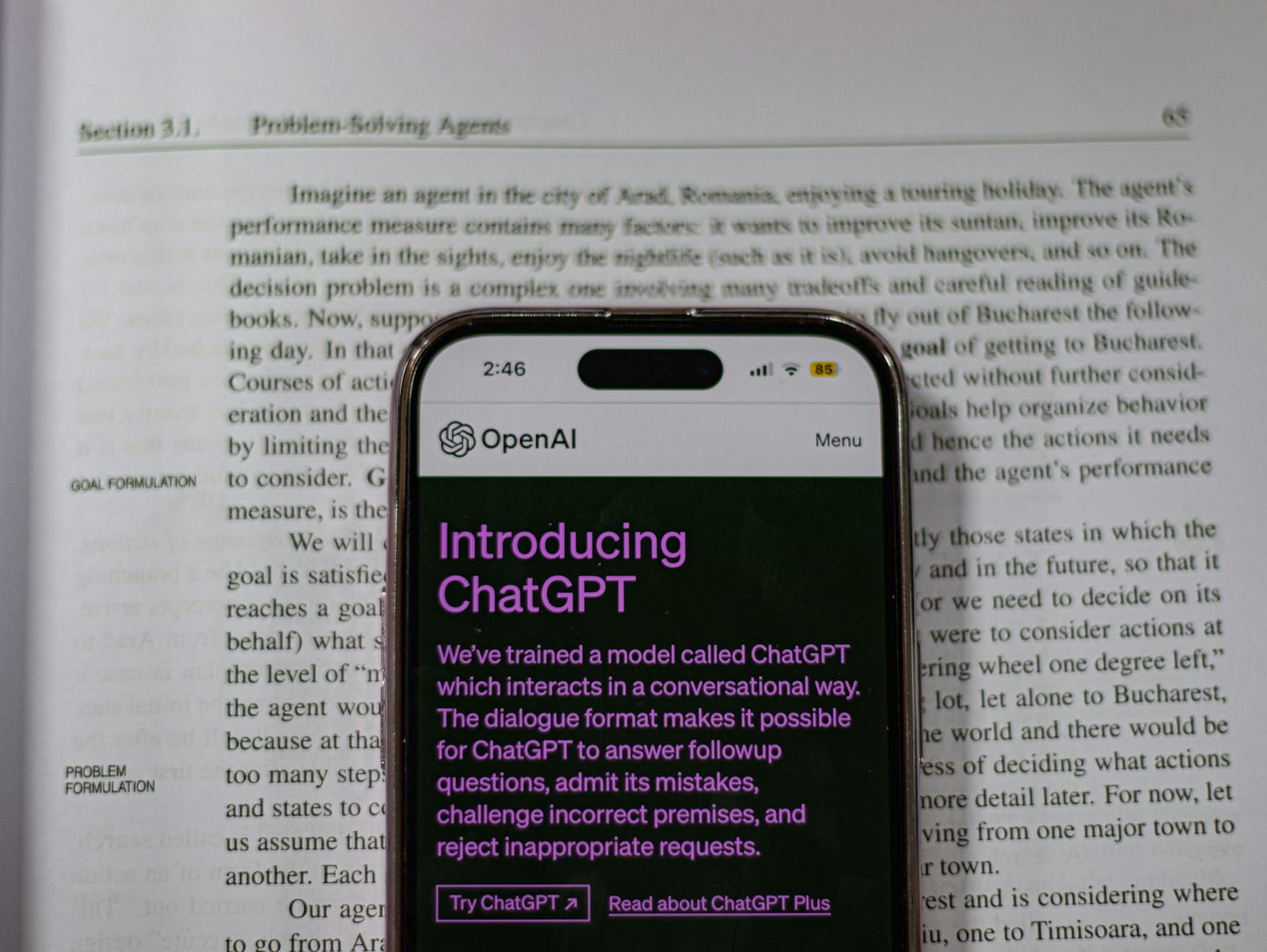
AI chat with PDF represents a transformative technology that enables users to interact conversationally with PDF documents using artificial intelligence. Instead of manually searching through lengthy documents, users can ask natural language questions and receive instant, contextually relevant answers with citations to source material. This technology leverages large language models (LLMs), natural language processing (NLP), and Retrieval-Augmented Generation (RAG) to unlock information trapped in static documents.
The global AI chatbot market reached $10-15 billion in 2025 and is projected to grow at a 24-30% CAGR, reaching $46-47 billion by 2029. The broader artificial intelligence market was valued at $638.23 billion in 2024 and is expected to reach $3,680.47 billion by 2034, with knowledge management and document analysis representing significant growth areas.
The ecosystem includes specialized pure-play PDF chat tools (ChatPDF, AskYourPDF), comprehensive document suites with AI features (Adobe Acrobat AI Assistant, PDF7.app), academic-focused solutions (SciSpace, SciSummary), and industry-specific platforms (legal tools like Clio Draft, LawGeex).
Table of Contents
- What is AI Chat with PDF?
- How It Works: Technical Architecture
- Key Use Cases & Applications
- Market Analysis & Trends
- Major Companies & Tools
- Industry-Specific Applications
- Benefits & Value Proposition
- Challenges & Considerations
- Future Outlook
- References
What is AI Chat with PDF?
AI chat with PDF is an AI-powered technology that allows users to upload PDF documents and engage in conversational interactions to extract information, generate summaries, answer questions, and analyze content. Rather than reading through entire documents, users can query specific information, request summaries of sections, or explore relationships between concepts across multiple documents.
Core Capabilities
- Question Answering: Ask specific questions and receive answers extracted from document content
- Summarization: Generate concise summaries of entire documents or specific sections
- Information Extraction: Pull key data points, statistics, quotes, or specific information
- Multi-Document Analysis: Compare information across multiple PDFs simultaneously
- Citation & Verification: Answers include page references and highlighted source text
- Translation: Convert document content between languages
- Contextual Understanding: AI comprehends document structure, relationships between concepts
What Makes It Different
Unlike traditional PDF readers or search functions that require exact keyword matches, AI chat tools:
- Understand natural language queries
- Grasp semantic meaning and context
- Identify conceptually similar content even without exact word matches
- Generate new insights by synthesizing information across sections
- Provide conversational, human-like responses
How It Works: Technical Architecture
Retrieval-Augmented Generation (RAG)
Most AI chat with PDF tools utilize RAG architecture, which combines information retrieval with generative AI:
1. Document Processing & Chunking
- PDFs are uploaded and text is extracted using OCR for scanned documents
- Content is split into manageable chunks (typically 500-1500 characters)
- Chunks are processed to remove headers, footers, and irrelevant elements
2. Embedding Generation
- Text chunks are converted into vector embeddings using transformer-based models (BERT, Sentence Transformers)
- Embeddings capture semantic meaning as numerical representations
- Each embedding represents the contextual meaning of its text chunk
3. Vector Database Storage
- Embeddings are stored in specialized vector databases (Pinecone, Weaviate, Qdrant, ChromaDB)
- Vector databases enable fast similarity-based retrieval
- Optimized for semantic search rather than keyword matching
4. Query Processing
- User queries are converted into vector embeddings using the same model
- System performs similarity search to find most relevant document chunks
- Typically retrieves top 3-10 most relevant passages
5. Context Augmentation
- Retrieved chunks are added as context to the user's query
- Augmented prompt provides the LLM with relevant document information
- Ensures responses are grounded in actual document content
6. Response Generation
- Large language model (GPT-4, Claude, Gemini, etc.) generates response
- Response incorporates retrieved context while maintaining conversational flow
- Citations link back to specific pages or sections in original document
Key Technologies
- LLMs: GPT-4, Claude, Gemini, Llama for natural language understanding
- Embedding Models: text-embedding-ada-002, Sentence-BERT, all-MiniLM
- Vector Databases: Pinecone, Weaviate, Qdrant, ChromaDB, Milvus
- Frameworks: LangChain, LlamaIndex for orchestrating RAG workflows
- OCR: Tesseract, Adobe OCR, Mistral OCR for scanned documents
Key Use Cases & Applications
1. Academic Research & Education
Student Applications:
- Understanding complex research papers and academic articles
- Extracting key concepts and methodologies from studies
- Getting simplified explanations of technical content
- Comparing findings across multiple research papers
- Preparing for exams by querying study materials
- Writing literature reviews with proper citations
Researcher Benefits:
- Accelerating literature review processes
- Identifying relevant studies and citations quickly
- Synthesizing insights from multiple papers
- Understanding specialized terminology and concepts
- Tracking research trends and developments
Popular Tools: SciSpace, ChatPDF, SciSummary, Elicit
Market Impact: Over 10 million researchers use AI PDF tools, with ChatPDF achieving 1 million users within its first week of launch.
References:
2. Legal Document Analysis
Use Cases:
- Contract review and clause analysis
- Due diligence document processing
- Legal research and case law identification
- E-discovery and litigation support
- Regulatory compliance document review
- Deposition transcript analysis
- Risk identification in agreements
Key Features:
- Clause extraction and comparison
- Inconsistency detection
- Compliance checking against regulations
- Contract obligation tracking
- Multi-document cross-referencing
Leading Solutions:
- Clio Draft (AI-powered legal drafting)
- LawGeex (contract analysis)
- eBrevia (document analysis)
- Filevine AI Doc Review
- Kira Systems
- CaseText
- AI Drive (legal workflows)
- LexisNexis Document Analysis
Impact: A 2018 LawGeex study found AI outperformed experienced lawyers in identifying legal issues in contracts, demonstrating 94% accuracy compared to 85% for human lawyers.
References:
3. Business & Enterprise Applications
Financial Services:
- Financial report analysis
- Investment research and due diligence
- Regulatory filing review
- Risk assessment documentation
- Earnings call transcript analysis
Operations & Compliance:
- Policy and procedure documentation queries
- Training manual assistance
- Compliance document review
- Internal audit documentation
- Standard operating procedure (SOP) guidance
Sales & Marketing:
- Proposal and RFP analysis
- Customer contract review
- Market research report synthesis
- Competitive analysis documents
HR & Administration:
- Employee handbook queries
- Benefits documentation
- Service agreement analysis
- Vendor contract review
Enterprise Tools: Adobe Acrobat AI Assistant, Smallpdf Chat PDF, WPS PDF Chat, Monica ChatPDF
Statistics:
- 88% reduction in contract processing time using automation
- 80% decrease in signature processing time
- Companies save up to $300,000 annually with AI chatbots
- 2.5 billion labor hours saved through chatbot automation
References:
4. Healthcare & Medical
Clinical Applications:
- Medical record analysis and summarization
- Research paper review for treatment protocols
- Drug information and interaction research
- Clinical trial documentation review
- Patient history summarization
Administrative Uses:
- Insurance policy clarification
- Medical billing document queries
- Healthcare compliance documentation
- Protocol and guideline reference
Market Size: The healthcare chatbot market is estimated to reach $543.65 million by 2026, with 52% of patients acquiring health data through healthcare chatbots.
References:
5. Technical Documentation & Manuals
Product Documentation:
- User manual assistance and troubleshooting
- Technical specification queries
- Installation guide support
- Warranty and service contract clarification
Software Development:
- API documentation reference
- Code documentation analysis
- Technical architecture document review
- Requirements specification queries
6. Publishing & Content Creation
Applications:
- Book summarization and analysis
- Quote and reference extraction
- Theme and concept identification
- Character and plot analysis
- Comparative literary analysis
7. Government & Public Sector
Use Cases:
- Legislative document analysis
- Policy document review
- Public records information extraction
- Grant proposal analysis
- Regulatory documentation queries
Market Analysis & Trends
Market Size & Growth
AI Chatbot Market:
- Current Size (2025): $10-15 billion
- Projected Size (2029): $46-47 billion
- CAGR: 24-30%
- Growth from 2019: From $396.2 million to current levels
Overall AI Market:
- 2024 Size: $638.23 billion
- 2034 Projection: $3,680.47 billion
- CAGR: 19.20%
- Generative AI Market: $43.87 billion (2023), projected to reach $1.3 trillion within the next decade
Document AI Segment:
- Knowledge management now ranks as one of the top three business functions using AI
- 73% of organizations worldwide are using or piloting AI in core functions
- Over 300 enterprise tools have embedded generative AI capabilities
References:
- Fortune Business Insights - AI Market Size
- Precedence Research - AI Market Report
- Thunderbit - AI Chatbot Statistics
Adoption Trends
Industry Adoption:
- Real estate: 28% adoption rate (highest)
- Retail/e-commerce: Significant market share
- Banking/finance: Rapid scaling phase
- Healthcare: Growing at 19.10% CAGR
- BFSI: 19.60% market share (2024)
Company Size:
- Small businesses (under 250 employees): 40% of adopters
- Enterprise adoption: More likely to deploy across multiple departments
- 77% of companies are either using or exploring AI
Employee Adoption:
- 31% Gen Z
- 37% Millennials
- 28% Gen X
- 20% Boomers
- One-third of employees already work with AI solutions
Productivity Impact:
- ChatGPT can improve individual productivity by up to 40%
- General employee productivity increases by 30% with AI systems
- IT departments save 1.9 hours/week per employee on average
- Marketers save 3 hours per piece of content and 2.5 hours per day overall
References:
Key Market Drivers
- Operational Efficiency: AI dramatically reduces time spent on document review and information extraction
- Cost Reduction: Significant savings in labor costs and processing time
- 24/7 Availability: Always-on access to document information
- Scalability: Ability to process thousands of documents simultaneously
- Accuracy Improvements: Reduced human error in document analysis
- Compliance Requirements: Growing need for automated compliance checking
- Remote Work: Increased need for digital document collaboration
- Data Explosion: Exponential growth in document volumes requiring intelligent processing
Geographic Distribution
North America:
- Dominates with 36.3% market share
- U.S. leads in AI adoption and innovation
- Strong VC funding ecosystem
Europe:
- 25% market share
- Strong regulatory focus (GDPR compliance)
- Growing adoption in professional services
Asia-Pacific:
- Fastest growing region
- Strong adoption in technology and manufacturing
- India accounts for significant portion of AI workforce (with U.S., over 50% global share)
Latin America & Middle East/Africa:
- Combined 15% market share
- Emerging markets with high growth potential
Major Companies & Tools
Category 1: General-Purpose PDF Chat Tools
ChatPDF
- Website: https://www.chatpdf.com/
- Key Features:
- Multi-document conversations
- Built-in citations
- Support for PDF, Word, PowerPoint, Markdown, Text files
- Side-by-side interface (chat + document)
- Clickable citations to source content
- Free Tier: 2 documents per day, max 10MB, 120 pages, 50 questions/day
- Pricing: ChatPDF Plus for unlimited access
- Users: Over 10 million users, loved by researchers
- Best For: Academic research, student learning, professional document analysis
AskYourPDF
- Website: https://askyourpdf.com/
- Key Features:
- ChatGPT plugin available
- Chrome extension
- Mobile app (iOS/Android)
- Zotero integration for researchers
- Multiple file format support (PDF, PPT, TXT, CSV)
- Shareable document links
- Up to 40MB file size
- Compliance: GDPR compliant
- Best For: Startups, content creators, researchers needing cross-platform access
PDF.ai
- Website: https://pdf.ai/
- Key Features:
- Conversational interface
- Document organization with tags
- Summarization capabilities
- Multi-document support
- Use Cases: Financial reports, user manuals, legal documents, books, technical documentation
- Best For: Business professionals, financial analysts
ChatDOC
- Website: https://chatdoc.com/
- Key Features:
- Support for multiple formats (PDF, DOC, DOCX, EPUB, TXT, website links)
- Folder organization (up to 30 files per folder on free tier)
- Citation highlighting in source document
- AI-recommended questions
- Free Tier: 20 pages per PDF, 2 documents/day, 20 questions daily, 36MB max file size
- Pricing: Starts at $9/month
- Best For: Multi-format document analysis, organized document libraries
Smallpdf Chat PDF
- Website: https://smallpdf.com/chat-pdf
- Key Features:
- No registration required
- Browser-based (Mac, Windows, iOS, Android)
- TLS encryption
- Automatic file deletion after processing
- OCR support for scanned documents
- Multilingual support
- GDPR compliant, ISO/IEC 27001 certified
- Best For: Quick, secure document queries without account creation
Category 2: Academic & Research-Focused
SciSpace (formerly Typeset)
- Website: https://scispace.com/chat-pdf
- Key Features:
- Copilot for research paper analysis
- Citation-backed answers
- Section-wise summaries
- Related paper recommendations
- 75+ language support
- Note-taking functionality
- Literature review tools
- Free: Yes, with no subscription fees
- Best For: Academic researchers, students, science journalists
SciSummary
- Key Features:
- GPT-3.5 and GPT-4 powered
- Bulk summarization of multiple papers
- Section-wise or full paper summaries
- Related paper recommendations
- Free Tier: 10,000 words/month, first document up to 200,000 words
- Pricing: Starting at $5/month for 1 million words, pay-as-you-go option
- Best For: Scientists, researchers needing quick paper summaries
Elicit
- Key Features:
- Multi-PDF synthesis
- Research-focused workflows
- Extract key points across papers
- Compare information across documents
- Comprehensive summaries
- Best For: Literature reviews, academic research
Category 3: Enterprise & Professional Solutions
Adobe Acrobat AI Assistant
As the creator of the PDF format, Adobe's AI Assistant is integrated directly within the Acrobat ecosystem, including the widely used Reader and the full Acrobat suite. This approach grounds conversational AI within established document workflows. The tool not only answers questions but also generates summaries and suggests queries based on the document's content. Its key advantage for professional use is that analysis occurs inside the native application, allowing users to transition directly from gaining insights to editing, sharing, or securing the document without uploading it to a separate platform.
- Website: https://www.adobe.com/acrobat/online/ai-chat-pdf.html
- Key Features:
- Native Integration: Works within Acrobat Reader and Acrobat, ensuring workflow continuity.
- Content Generation: Provides summaries, answers questions, and formats information for emails or presentations.
- Clickable Attributions: All AI-generated answers link directly to the source text in the document for verification.
- Multi-Format Support: Handles PDF, Word, PowerPoint, and other text files.
- Enterprise Security: Built with enterprise-grade security and compliance protocols, including SOC2 Type II.
- Access: 3 trillion PDFs in circulation accessible via Acrobat
- Best For: Enterprise document workflows, professional document management
AI Drive
- Website: https://myaidrive.com/
- Key Features:
- Multiple AI model support (GPT-5, Claude, Gemini)
- OCR with industry-leading accuracy
- Custom AI agents with specialized prompts
- Tab-based multi-document interface
- Automatic metadata extraction
- Enterprise-grade security and encryption
- Industry Focus: Legal, business, enterprise workflows
- Best For: Legal teams, professional services, contract analysis, e-discovery
Microsoft Copilot / ChatGPT / Claude
- Native PDF Support: All major LLM platforms now support PDF upload
- Features:
- Direct file upload and analysis
- Extract key information
- Provide citations
- Document summaries
- Question answering
- Best For: Users already subscribed to these services
Category 4: Specialized Solutions
LightPDF
- Key Features:
- AI chatbot for document analysis
- PDF converter and editor
- Tables and graphs generation
- Support for Excel, Word, PowerPoint
- Page number referencing
- Mobile and desktop applications
- Limitation: Paid plan needed for 200+ page documents
- Best For: Document conversion with AI analysis
WPS PDF Chat
- Key Features:
- Part of WPS Office suite
- Grammar check integration
- Text generator tool
- Encrypted processing
- Multi-platform (Android, iPhone, desktop)
- OCR for handwritten notes
- Best For: Office productivity integration, digital marketing professionals
PDFgear Copilot
- Key Features:
- Completely free despite GPT API costs
- Large PDF document support
- Natural language commands
- Summarize, translate, explain capabilities
- No data storage
- Privacy-focused
- Best For: Budget-conscious users, large document processing
Monica ChatPDF
- Website: https://monica.im/webapp/doc-chat
- Key Features:
- Side-by-side translation comparison
- Document translation
- ChatGPT powered
- Protected cloud storage
- Data security focus
- Free Tier: 1 query with registration
- Best For: International users needing translation
DocAnalyzer.ai
- Website: https://docanalyzer.ai/
- Key Features:
- Customizable AI agents for specific industries
- Multi-format support (PDF, MD, ODT, DOCX, HTML, EPUB, RTF, TXT)
- OCR capabilities
- Label-based document organization
- API access
- Multilingual including RTL scripts (Arabic, Hebrew, Persian)
- Embeddable chatbots
- Privacy: No data sharing or selling
- Best For: Law firms, administrative teams, research organizations
Category 5: Multi-Purpose PDF Suites with AI Features
These platforms combine traditional PDF editing and manipulation tools with AI-powered features, offering comprehensive document workflow solutions.
PDF7.app
- Website: https://pdf7.app/
- Overview: Comprehensive online PDF toolkit with 30M+ users, combining 40+ PDF operations with AI-powered content processing
- Key AI Features:
- Paraphrasing: AI-powered content rephrasing to enhance understandability and significance
- Multi-Language Translation: Translate text between different languages
- AI Summarizer: Condense long documents into shorter, digestible versions
- Grammar Correction: Automated grammatical error detection and correction
- Proofreader: Comprehensive text checking and error correction
- Legal Document Drafting: AI assistance for accurate legal document creation
- Text Extender: Expand content with additional relevant details
- Standard PDF Operations:
- Merge, split, rotate, organize, compress PDFs
- Extract, remove pages
- Grayscale conversion
- PDF repair and recovery
- Format conversion (Image ↔ PDF, Office ↔ PDF)
- Security features (password protect, encrypt, unlock)
- User Base: 30M+ total users
- Privacy: Zero file storage policy - all files processed and immediately deleted
- Pricing: Completely free for all 40+ tools
- Platform: Web-based, accessible from any device
- Best For:
- Users needing both AI text processing and comprehensive PDF manipulation
- Content creators requiring quick paraphrasing and summarization
- Legal professionals needing document drafting assistance
- Teams requiring document security with AI-enhanced content creation
- Businesses seeking an all-in-one solution for document workflows
- Unique Value: Combines traditional PDF editing with AI-powered content generation, making it a one-stop solution for document workflow without requiring account creation for basic features
Category 6: Legal-Specific Tools
Clio Draft
- AI-assisted legal document creation
- Intelligent templates and questionnaires
- Integration with Clio Manage
LawGeex
- Automated contract review
- Clause comparison against policies
- Compliance checking
eBrevia
- Machine learning document analysis
- Critical term extraction
- CRM integration
Filevine AI Doc Review
- Contract, litigation, medical records analysis
- Natural language processing
- OCR indexing
- High security standards
LexisNexis Document Analysis
- Patented AI technology
- Data extraction from millions of documents
- Expert legal insights
Reference: PDF.ai - How to Use AI for Legal Documents
Industry-Specific Applications
Financial Services
JPMorgan Chase: Over 300 AI use cases in production, including fraud detection and document processing automation
Morgan Stanley: Uses GPT-4 to power knowledge assistant for financial advisors
Applications:
- Fraud detection in transaction documents
- Automated report generation
- Risk assessment documentation review
- Regulatory compliance checking
- Investment research document analysis
Impact: AI tech could increase banking industry revenue by $1 billion in the next three years
Healthcare
Market: 52% of patients acquire health data through healthcare chatbots
Usage: Around 1 in 3 medical professionals now use computer systems to aid diagnosis
Pew Research: 39% of adults are okay with healthcare providers using AI, and 38% believe AI could improve healthcare outcomes
Applications:
- Medical record summarization
- Clinical trial documentation review
- Treatment protocol research
- Drug interaction information
- Patient history analysis
Retail & E-Commerce
Coca-Cola Example: Launched AI chatbot on social media as "virtual meal companion" providing restaurant recommendations
Applications:
- Product manual assistance
- Customer service documentation
- Policy and return documentation queries
- Supplier contract review
Manufacturing
Potential Value: AI stands to add $3.78 trillion to manufacturing by 2035
Applications:
- Technical documentation queries
- Safety protocol reference
- Equipment manual assistance
- Quality assurance documentation
- Training material accessibility
Telecommunications
Usage: 52% of telecommunications organizations use conversational AI and chatbots to increase productivity
Applications:
- Service contract analysis
- Technical specification queries
- Network documentation reference
- Compliance documentation
Benefits & Value Proposition
Time Savings
- Research Acceleration: Tasks that took hours now completed in minutes
- Information Retrieval: Instant answers vs. manual document scanning
- Multi-Document Analysis: Compare dozens of documents simultaneously
- Automated Summarization: Quick overview of lengthy documents
Statistics:
- 40% improvement in individual productivity
- 30% increase in general employee productivity
- IT departments save 1.9 hours/week per employee
- Marketers save 3 hours per content piece
Cost Reduction
- Labor Savings: Reduced need for manual document review
- Operational Efficiency: Streamlined workflows and processes
- Reduced Errors: Lower cost of mistakes and rework
- Scalability: Handle volume increases without proportional cost increase
Statistics:
- Companies save up to $300,000 annually
- 2.5 billion labor hours saved globally
- 88% reduction in contract processing time
- 80% decrease in signature processing time
Improved Accuracy
- AI Consistency: Eliminates human fatigue-related errors
- Comprehensive Analysis: Doesn't miss details in lengthy documents
- Pattern Recognition: Identifies trends and inconsistencies
- Verification: Citations allow easy fact-checking
Legal Example: AI achieved 94% accuracy vs. 85% for experienced lawyers in contract analysis
Accessibility
- Democratization: Non-experts can understand complex documents
- 24/7 Availability: Access information anytime
- Language Translation: Break language barriers
- Disability Support: Alternative way to access document information
- Mobile Access: Work with documents from any device
Knowledge Management
- Organizational Memory: Preserve and access institutional knowledge
- Cross-Referencing: Find connections across document libraries
- Onboarding: New employees quickly access company knowledge
- Documentation: Better utilization of existing materials
Compliance & Risk Management
- Automated Compliance Checking: Ensure adherence to regulations
- Risk Identification: Flag potential issues in contracts and agreements
- Audit Support: Quick retrieval of compliance documentation
- Transparency: Clear audit trails with citations
Challenges & Considerations
Accuracy & Hallucinations
Challenge: AI models can generate plausible-sounding but incorrect information
Mitigation Strategies:
- Always verify critical information from source documents
- Use tools with strong citation features
- Cross-reference important findings
- Implement human oversight for high-stakes decisions
- Choose RAG-based systems that ground responses in actual content
Data Security & Privacy
Concerns:
- Sensitive document content uploaded to third-party servers
- Potential data breaches or unauthorized access
- Compliance with data protection regulations (GDPR, HIPAA)
- Intellectual property protection
Best Practices:
- Choose SOC2 Type II certified providers
- Verify encryption standards (TLS/SSL)
- Review data retention and deletion policies
- Use on-premises or private cloud solutions for sensitive data
- Check vendor compliance certifications
- Implement access controls and user authentication
Leading Standards:
- SOC2 Type II certification
- GDPR compliance
- ISO/IEC 27001 certification
- Attorney-client privilege protection (for legal tools)
- HIPAA compliance (for healthcare applications)
Cost Considerations
Factors:
- Subscription fees for advanced features
- API costs for high-volume usage
- Training and implementation expenses
- Integration with existing systems
- Ongoing maintenance and updates
Free Tier Limitations:
- Document size restrictions (typically 10-40MB)
- Page count limits (often 100-200 pages)
- Daily question limits (20-50 queries)
- Number of documents (2-10 per day)
- Feature restrictions
Technical Limitations
Current Constraints:
- File size and page limitations
- OCR accuracy issues with poor-quality scans
- Complex table and chart interpretation
- Mathematical formula recognition
- Image and diagram analysis accuracy
- Processing time for large documents
Format Support:
- Most tools focus on PDF, with varying support for other formats
- Scanned documents require OCR capabilities
- Some tools don't support images within PDFs
- Handwritten content may not be recognized
Organizational Challenges
Adoption Barriers:
- Employee resistance to change
- Learning curve for effective prompting
- Integration with existing workflows
- Determining appropriate use cases
- Establishing governance policies
Change Management:
- Training requirements
- Process redesign
- Culture shift toward AI-assisted work
- Setting appropriate expectations
Statistics: 71% of employees were concerned about adopting AI in 2024, with 48% more concerned than in 2023
Ethical & Legal Considerations
Issues:
- Bias in AI model responses
- Accountability for AI-generated errors
- Professional liability implications
- Employment impact and job displacement
- Over-reliance on AI judgment
Legal Sector Specific:
- Confidentiality concerns
- Professional responsibility
- Unauthorized practice of law
- Quality of legal advice
Quality Control
Requirements:
- Verification processes for critical decisions
- Human oversight mechanisms
- Feedback loops for improvement
- Regular auditing of AI outputs
- Clear policies on AI usage limits
Future Outlook
Emerging Trends
1. Multimodal AI Integration
- Better understanding of images, diagrams, and charts within PDFs
- Video and audio integration with document content
- Handwriting recognition improvements
- Complex formula and equation processing
2. Advanced RAG Capabilities
- Hybrid approaches combining long context windows with RAG
- Improved reranking and relevance scoring
- Cross-document relationship mapping
- Graph RAG for complex knowledge structures
3. Industry-Specific Solutions
- Specialized models trained for specific domains
- Industry-specific compliance checking
- Custom workflows for professional use cases
- Domain-specific terminology understanding
4. Enhanced Collaboration Features
- Team-based document analysis
- Shared insights and annotations
- Collaborative knowledge bases
- Integration with project management tools
5. Agentic AI Capabilities
- Autonomous document processing workflows
- Proactive insights and recommendations
- Task automation based on document analysis
- Intelligent routing and categorization
Technology Developments
AI Model Improvements:
- Larger context windows (reducing RAG dependency)
- Better reasoning capabilities
- Improved factual accuracy
- Reduced hallucinations
- Faster processing speeds
Infrastructure Evolution:
- More efficient vector databases
- Edge computing for privacy
- Hybrid cloud/on-premises solutions
- Better API ecosystems
Market Predictions
Growth Trajectory:
- Chatbot market: $10-15B (2025) → $46-47B (2029)
- Overall AI market: $638B (2024) → $3,680B (2034)
- Knowledge management becoming top-3 AI use case
Adoption Patterns:
- Continued expansion across industries
- SMB adoption growth (currently 40% of market)
- Integration into standard business tools
- Shift from experimental to mission-critical usage
Investment Trends:
- $107 billion deployed in AI startups (2025)
- 26% of all global VC funding going to AI
- Focus on enterprise applications
- Sovereign AI model development
Regulatory Landscape
Developing Framework:
- 85% of respondents want industry transparency on AI practices
- Overwhelming support for AI regulation across all generations
- 68% support increased regulation of AI systems
- Focus on ethical AI and bias mitigation
Regional Approaches:
- EU AI Act implementation
- U.S. state-level regulations
- Industry-specific compliance requirements
- Professional ethics guidelines
Integration Ecosystem
Platform Consolidation:
- Integration into Microsoft Office, Google Workspace
- CRM and ERP system integration
- Document management system connectivity
- Workflow automation platforms
API Economy:
- Standardized APIs for document AI
- Cross-platform interoperability
- Custom integration capabilities
- Embedded AI in vertical solutions
Skills & Workforce Evolution
New Roles:
- Chatbot analysts (42% of support leaders expect this role)
- AI prompt engineers
- Document AI specialists
- AI governance officers
Skill Requirements:
- Effective AI prompting
- AI output verification
- Understanding AI limitations
- Ethical AI usage
Conclusion
AI chat with PDF represents a fundamental shift in how we interact with documents, transforming static files into dynamic, conversational information sources. The technology combines the power of large language models with sophisticated retrieval systems to deliver instant, contextually relevant answers backed by source citations.
With the market projected to grow from $10-15 billion in 2025 to $46-47 billion by 2029, this technology is moving from experimental to essential across industries. From academic research to legal document analysis, from healthcare to financial services, AI PDF chat tools are delivering measurable productivity gains, cost savings, and improved accuracy.
However, successful implementation requires careful consideration of accuracy limitations, security requirements, and appropriate governance. Organizations must balance the tremendous efficiency gains with proper oversight, verification processes, and ethical guidelines.
As the technology continues to evolve with better multimodal understanding, improved accuracy, and deeper industry specialization, AI chat with PDF will become increasingly integral to knowledge work across every sector of the economy.
References
General AI Chat with PDF Tools
- ChatPDF - Chat with any PDF
- PDF7.App - AI Chat with PDF
- AskYourPDF - The Best PDF AI Chat App
- PDF.ai - Chat with your PDF documents
- ChatDOC - AI Chat with PDF Documents
- Smallpdf - Chat with PDF
- PDFgear - 7 Best Free AI Tools to Chat with Any PDF
- PDFgear - Top 8 ChatPDF Alternatives
Academic & Research Tools
- SciSpace - Chat with any PDF
- Educators Technology - Top AI Tools to Chat with PDFs
- XDA Developers - 5 AI Tools to Chat with Large PDF Files
Enterprise & Professional Solutions
- Adobe - Adobe Brings Conversational AI to Trillions of PDFs
- PDF7.app - Free Online PDF Converter & Editor Suite with AI Tools
- Adobe Acrobat - Chat with PDFs and Ask Questions
- AI Drive - Built for Legal & Professional Workflows
- WPS Office - 5 Best AI Tools to Chat with PDFs Easily
- Monica - ChatPDF - Make your PDF as a Chatbot
- DocAnalyzer.ai - AI that works with your documents
Legal Industry Tools
- Clio - AI Legal Document Review and Case Prep
- Filevine - AI Legal Document Review
- LexisNexis - Document Analysis
- PDF.ai - How to Use AI to Read Legal Documents
- LegalLens - AI-Powered Legal Citation Analysis
- HyperWrite - Legal Document Analyzer
Use Cases & Industry Applications
- PDF.ai - Top 6 PDF.ai Use Cases
- PDF.ai - 10 ChatPDF Alternatives
- AIDetectPlus - I Tested 8 Chat PDF Alternatives
- Nintex - ChatPDF: A Practical Use Case
- OpenAI - Identifying and Scaling AI Use Cases
- Shakudo - The Big Book of Enterprise AI Agent Use Cases
More from Deepak Gupta
Every page on guptadeepak.com is hand-curated by Deepak Gupta. Pick a thread:
- About Deepak Gupta Founder, cybersecurity architect, and writer at guptadeepak.com.
- My journey From LoginRadius (2013, 1B+ users) to GrackerAI, in milestones.
- Publications & patents Books, free e-books, a journal special issue, and five granted patents.
- Research Hub Curated research, buyer's guides, vendor comparisons, and technical deep-dives.
Get the newsletter
New writing on identity, AI security, and building software, delivered when it ships. No tracking pixels, no funnels, unsubscribe with one click.