
The Programmatic SEO Paradox: Why Your Fear of Creating Thousands of Pages is Both Valid and Obsolete
Creating 1,000+ programmatic pages? The fear of Google penalties is valid, but solvable.
Last night, Priya stared at her laptop screen at 2 AM, her finger hovering over the "publish" button. Behind that button sat 847 programmatically generated pages, months of work, and her company's entire SEO strategy for the year. One Reddit thread she'd read earlier kept echoing in her mind: "Google nuked our site after we published 3,000 pages. Traffic dropped 94% overnight."
She closed her laptop.
If you've ever felt that same paralyzing fear before scaling your content, you're not alone. The programmatic SEO community is haunted by horror stories, sites getting deindexed, manual penalties destroying years of work, algorithmic updates wiping out six-figure revenue streams. And yet, Zapier runs 6.3 million monthly visits through 70,000+ programmatic pages. TripAdvisor dominates with 226 million monthly visits from millions of automated pages. Zillow, Wise, Airbnb, billion-dollar companies built on programmatic foundations.
So what gives? How can the same strategy simultaneously destroy websites and mint unicorns?
The answer lies in understanding what Google actually penalizes versus what the fear-mongering would have you believe. After analyzing 50+ programmatic SEO case studies, interviewing SEO consultants who've recovered penalized sites, and studying Google's own documentation, I've discovered something critical: the fear itself is the biggest barrier to success, not Google's algorithms.
Let me show you why your fear is both justified and completely solvable.
The Real Story Behind Google's "Programmatic SEO Penalty"
Here's what actually happened in most of those horror stories:
A SaaS company launched 12,000 programmatic pages overnight. Each page followed a simple template: "[Product Category] in [City]" with maybe 150 words of barely-differentiated content. Within weeks, they saw a rankings boost. Then, three months later, Google's core algorithm update hit, and their organic traffic cratered by 87%.
Was this a "programmatic SEO penalty"? Not technically.
Google doesn't have a checkbox in their algorithm that says "if pages_created > 1000, then penalize()". What Google does have is an increasingly sophisticated system for detecting value deficiency at scale. And when you create thousands of pages that don't solve unique problems, you're essentially hanging a neon sign that says "I'm gaming your system."
The distinction matters because it changes everything about how you approach programmatic SEO.
What Google Actually Penalizes
After deep-diving into Google's spam policies, manual action reports, and algorithmic update patterns, here's what triggers penalties:
1. Doorway Pages (Manual Action) Pages created purely to rank for specific queries that then funnel users elsewhere. Classic example: 5,000 pages for "plumber in [city]" that all redirect to a single contact form with no unique value per location.
Signal Google watches: Thin content + poor engagement + navigation patterns showing users immediately leaving or using site search.
2. Automatically Generated Content (Manual Action) Content created to manipulate rankings without providing unique value. Note the critical phrase: "without providing unique value." The automation itself isn't the crime, the value deficit is.
Signal Google watches: Near-duplicate content across multiple URLs + high bounce rates + no returning visitors.
3. Thin Content at Scale (Algorithmic) Google's helpful content system detects when a large percentage of your site exists primarily for search engines rather than humans.
Signal Google watches: Engagement metrics, crawl efficiency, content uniqueness ratio, page depth.
4. Index Bloat (Algorithmic Impact) Creating more pages than your site's authority can support leads to crawl budget waste and diluted ranking signals.
Signal Google watches: Crawl patterns, indexation ratio, internal linking structure.
The Million-Dollar Question: Where's the Line?
The SEO consultant Gaetano DiNardi once audited a client with 8 million discovered pages but only 650,000 indexed. That's not a penalty, that's Google saying "I don't believe 92% of your pages deserve to exist."
But Zapier has over 50,000 pages and prints money. What's the difference?
After analyzing successful vs. failed pSEO implementations, I've identified The Value Threshold Framework, a decision model that explains why some programmatic strategies thrive while others implode.
The Value Threshold Framework: Your Programmatic SEO Decision Model
Every programmatic page must clear three thresholds:
Threshold 1: The Unique Answer Test
The Question: If someone searches for this specific query, would they get a meaningfully different answer from this page vs. my other pages?
Example that passes:
- Nomad List's page for "Chiang Mai for digital nomads" includes: real-time internet speeds, current temperature, air quality index, cost of living data, visa requirements, coworking spaces with ratings, neighborhood safety scores, expat community size, and weather forecasts.
- Their page for "Lisbon for digital nomads" contains completely different data points for all these metrics.
Example that fails:
- "React developers in Austin" page: "Looking for React developers in Austin? Our React developers in Austin are the best React developers in Austin. Contact our Austin-based React developers today."
- "React developers in Boston" page: [Same content with "Austin" swapped for "Boston"]
The threshold: If you can swap one modifier for another and the page is 85%+ identical, you fail this test.
Threshold 2: The Data Substantiation Test
The Question: Does this page contain unique data that required effort to acquire or generate?
Example that passes:
- Zillow's property pages pull from actual MLS listings, tax records, historical price data, neighborhood statistics, school ratings, and walkability scores.
- Each property ID connects to a unique dataset that can't be replicated by simply changing a variable.
Example that fails:
- "Best [Product Category] for [Use Case]" pages where the products, descriptions, and use cases are all pulled from a generic database with no unique research, reviews, or insights per combination.
The threshold: At least 40% of your page content must come from unique data sources that couldn't be replicated by a competitor running the same template.
Threshold 3: The Engagement Sustainability Test
The Question: Would users who find this page through search stay, engage, and potentially return?
Example that passes:
- Zapier's "Google Sheets to Slack" integration page includes: step-by-step setup instructions, common use cases with templates, troubleshooting guides, user reviews, update logs, and related workflow suggestions.
- Average time on page: 2:47 minutes. Bounce rate: 34%. Return visitor rate: 12%.
Example that fails:
- Generic location pages with bounce rates over 80%, time on page under 30 seconds, and zero returning visitors.
The threshold: Your programmatic pages should have engagement metrics within 30% of your hand-crafted content. If they're significantly worse, Google notices.
The Zapier Blueprint: What $140M in ARR Teaches Us About Safe Scaling
Let's dissect exactly how Zapier built 70,000+ pages without triggering any penalties, because their success wasn't luck, it was systematic.
The Three-Tier Architecture
Tier 1: App Profile Pages (7,000+ pages) Each app gets a dedicated page (example: the Slack page). This isn't just a description, it includes:
- Current user count and ratings
- All possible integrations (dynamically updated)
- Popular workflow templates
- Pricing tiers and feature comparisons
- User reviews and success stories
- API documentation links
- Regular content updates based on app changes
Value multiplier: Each page serves 20+ different user intents, from "what is [app]?" to "how to integrate [app]" to "alternatives to [app]."
Tier 2: Integration Pair Pages (200,000+ pages) Every possible two-app combination (example: "Typeform to Folk CRM"). Each includes:
- Specific integration setup guide
- Authentication requirements
- Data field mappings
- Common workflow examples
- Troubleshooting for this specific pair
- User-submitted templates
- Performance metrics
Value multiplier: These target long-tail searches with commercial intent ("connect Typeform to Folk") while also serving as education hubs.
Tier 3: Workflow-Specific Pages (400,000+ potential pages) Granular use cases (example: "Send new Typeform entries to create contacts in Folk CRM"). Each includes:
- Step-by-step automation setup
- Field mapping guides
- Trigger and action configurations
- Real user examples
- Related workflow suggestions
The critical insight: Zapier didn't just scale pages, they scaled utility. Each page solves a problem that would otherwise require reading documentation, watching tutorials, or contacting support.
The Rollout Strategy That Avoided Red Flags
Here's what Zapier didn't do: launch 70,000 pages overnight.
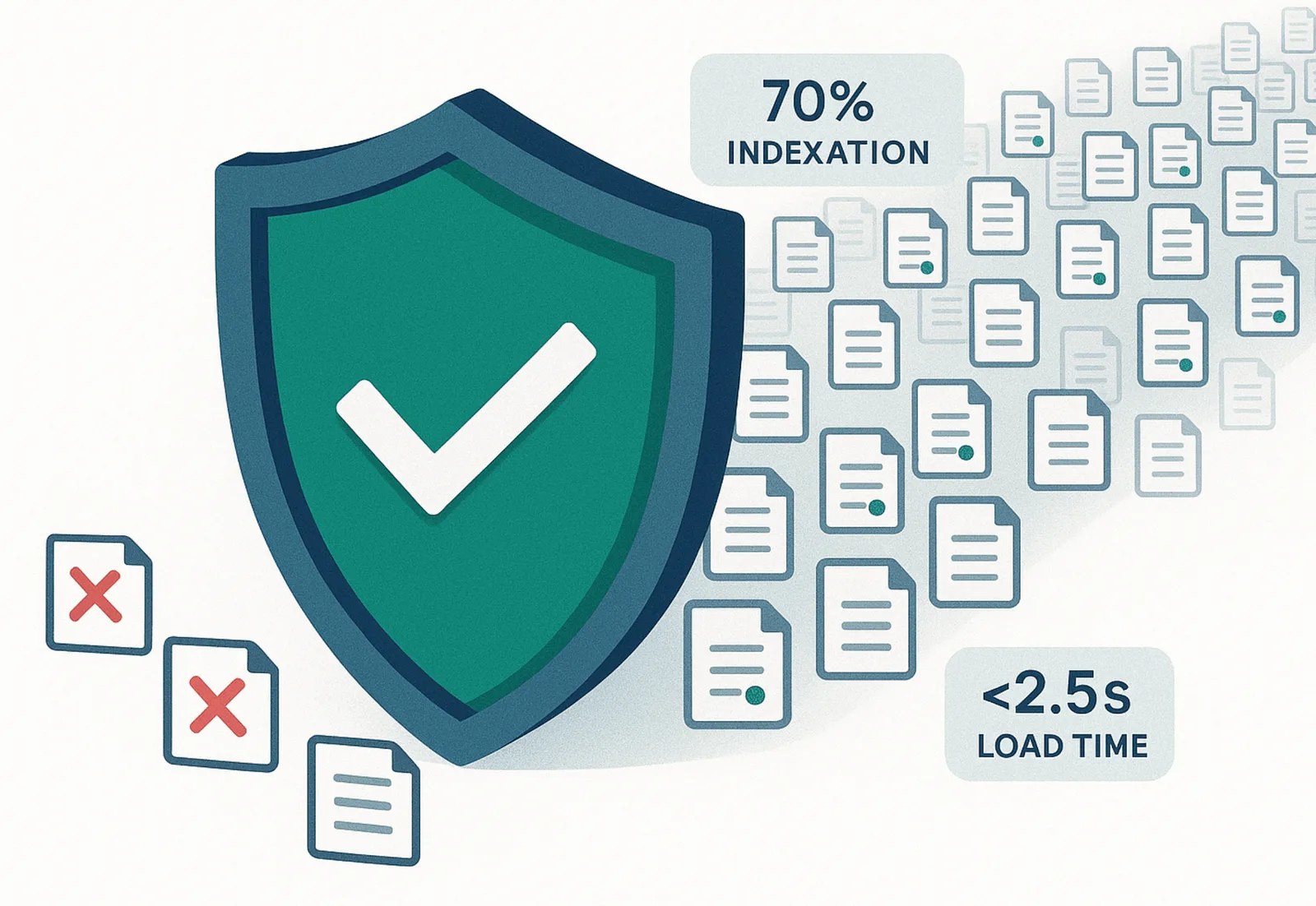
Their actual timeline:
- Month 1-3: Built and tested 100 core app pages
- Month 4-6: Launched 1,000 integration pair pages, monitored indexation
- Month 7-12: Scaled to 5,000 pages while monitoring engagement metrics
- Year 2: Reached 20,000 pages with continuous quality improvements
- Year 3-5: Scaled to 70,000+ pages with automated quality checks
Key metrics they tracked:
- Indexation rate (should stay above 70%)
- Average page engagement vs. site average
- Click-through rates from search results
- Percentage of pages generating conversions
- Crawl budget efficiency
When any metric dropped below threshold, they paused scaling and fixed the underlying issue.
Your Programmatic SEO Safety Checklist: The Exact Signals Google Watches
Based on analyzing penalty cases and successful implementations, here are the specific signals that trigger Google's quality algorithms:
Green Flags (Safe to Scale)
✅ Indexation ratio above 60% - If Google indexes most of your pages, it trusts they provide value.
✅ Engagement metrics within 30% of site average - Time on page, bounce rate, and pages per session should be comparable to your hand-written content.
✅ Consistent organic traffic growth per page - Even if individual pages get low traffic, the trend should be gradual increases over time.
✅ Low pogo-sticking rates - Users who click your result from search should not immediately return to search and click a competitor.
✅ Internal linking density of 5-15 links per page - Your pages should be well-integrated into your site structure.
✅ Crawl efficiency above 50% - In Google Search Console, the percentage of crawled URLs that are useful should exceed 50%.
✅ Content uniqueness score above 60% - Use tools like Copyscape or Siteliner to verify that at least 60% of each page's content is unique to that page.
Yellow Flags (Proceed with Caution)
⚠️ Indexation ratio 40-60% - Google is selective about which pages to index, suggesting quality concerns.
⚠️ Engagement metrics 30-50% below site average - Your programmatic pages are underperforming but not critically.
⚠️ Flat or declining traffic per page - Individual pages aren't gaining traction over time.
⚠️ Crawl budget waste above 30% - Google is wasting resources crawling non-valuable pages.
⚠️ Manual review requests increasing - More users are reporting your pages as low-quality.
Action required: Pause scaling, audit your top 100 pages for quality issues, implement improvements, then resume carefully.
Red Flags (Stop Immediately)
🛑 Indexation ratio below 40% - Google is actively choosing not to index most of your pages.
🛑 Engagement metrics 50%+ below site average - Users hate your programmatic content.
🛑 Site-wide traffic decline after launching new pages - Your programmatic content is dragging down your entire domain's authority.
🛑 Manual action notice in Search Console - Google's human reviewers have flagged your site.
🛑 Crawl errors spiking above 10% - Your page generation is creating technical problems.
🛑 Duplicate content warnings affecting 20%+ of pages - Your templates aren't differentiated enough.
Action required: Halt all new page creation. Implement emergency quality improvements. Consider noindexing or deleting low-value pages. Request reconsideration if you received a manual action.
The Safe Scaling Protocol
Here's the exact process used by successful pSEO implementations to scale from 100 to 10,000+ pages without penalties:
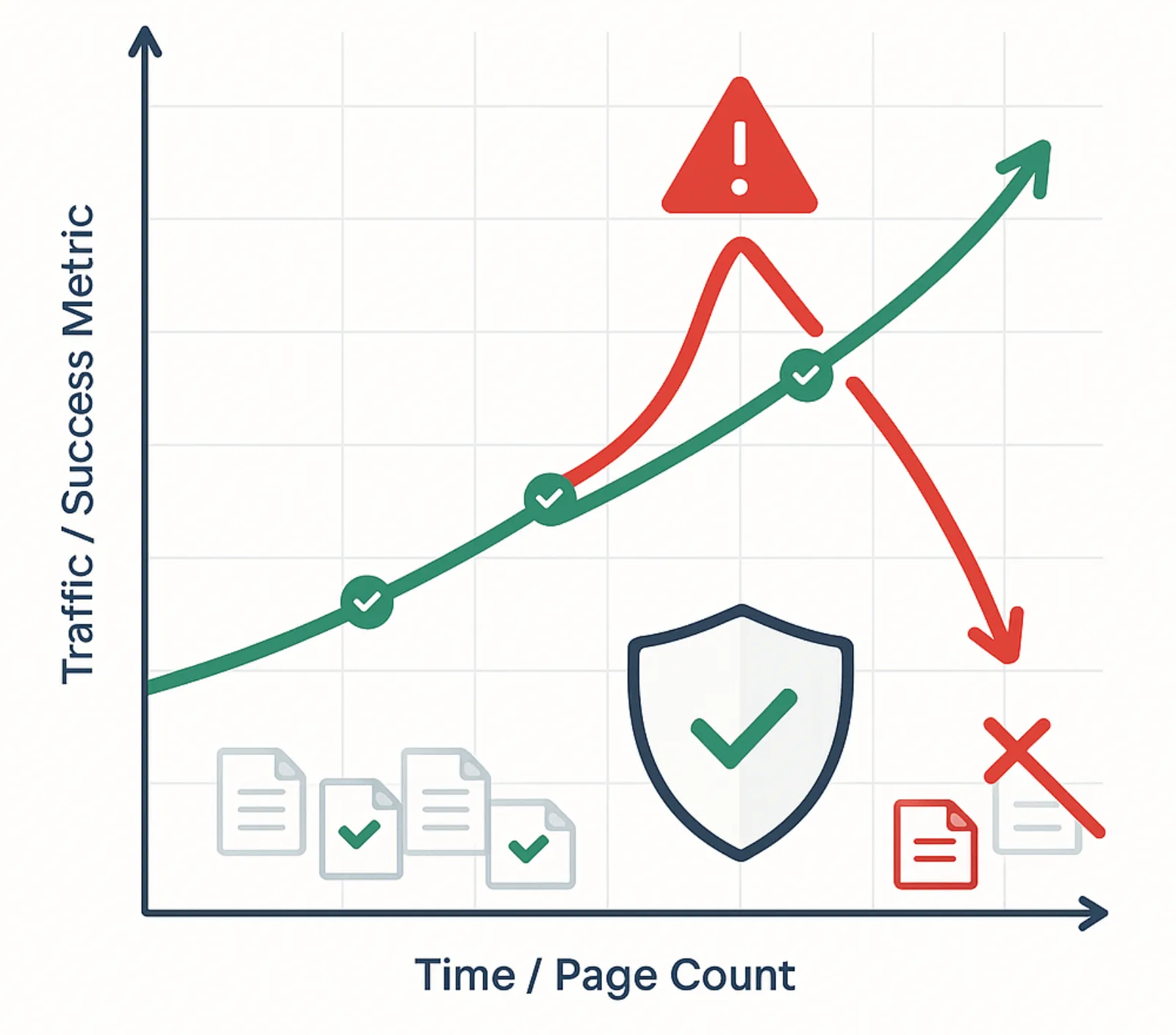
Foundation Audit
Actions:
- Document your current site authority (DR/DA)
- Establish baseline engagement metrics
- Identify crawl budget capacity
- Set up advanced tracking in Search Console
Deliverables:
- Baseline metrics dashboard
- Crawl budget analysis
- Content quality benchmarks
Template Development
Actions:
- Create your page template with 5+ unique data points per page
- Build in conditional logic (don't generate a page unless you have sufficient unique data)
- Set up internal linking automation
- Develop quality scoring rubric
Quality gates:
- Content uniqueness minimum: 60%
- Unique data points per page: 5+
- Minimum word count: 400 words
- Maximum template text percentage: 40%
Pilot Launch (100 pages)
Actions:
- Generate and publish 100 highest-value pages
- Submit sitemap to Search Console
- Monitor daily for 2 weeks
Success criteria:
- Indexation rate: 70%+
- Average time on page: within 30% of site average
- No crawl errors
- No manual actions
First Scale (500 pages)
Actions:
- Generate next tier of 400 pages
- Implement automated quality checks
- Set up engagement tracking per page group
Monitoring:
- Daily indexation checks
- Weekly engagement analysis
- Crawl budget impact assessment
Quality Optimization
Actions:
- Analyze top 50 and bottom 50 performing pages
- Identify quality differentiators
- Update template based on learnings
- Consider pruning worst performers
Decision point: Only proceed if pilot metrics remain healthy.
Controlled Growth (2,000 pages)
Actions:
- Scale to 2,000 total pages
- Implement automated alerts for metric drops
- Create content refresh schedule
Ongoing monitoring:
- Weekly: Indexation rates, crawl errors
- Biweekly: Engagement metrics, traffic trends
- Monthly: Competitive analysis, template updates
Beyond: Sustainable Scaling
Framework:
- Scale by 20-30% monthly if all metrics stay green
- Pause scaling if any yellow flags appear
- Implement quality improvements before resuming
- Never scale more than 50% month-over-month
The Real Penalty Stories: What Actually Went Wrong
To drive home the difference between safe and unsafe pSEO, let's examine three real penalty cases:
The Local Service Disaster
The Setup: A legal directory site generated 45,000 pages for "[Practice Area] lawyer in [City]" across every city with 10,000+ population.
The Fatal Flaws:
- Zero unique data per city, all content was template text
- No actual lawyer listings or reviews
- Pages just funneled to a national lead generation form
- Bounce rate: 89% average
- Average time on page: 11 seconds
The Result: Manual action for doorway pages after 4 months. Traffic dropped 96%. Recovery took 8 months and required deleting 42,000 pages.
The Lesson: If your only "unique" element is a city name, you're creating doorway pages.
The E-commerce Template Trap
The Setup: An e-commerce site created 18,000 category combination pages: "[Product] for [Use Case] in [Price Range]"
The Fatal Flaws:
- Only 3 unique products per page on average
- No actual use case information, just keyword stuffing
- Duplicate product descriptions across hundreds of pages
- No user reviews, comparison data, or buying guides
The Result: Algorithmic penalty from helpful content update. Organic traffic dropped 73%. Site authority decreased, affecting all pages, not just programmatic ones.
The Lesson: Low-quality programmatic content can poison your entire domain.
The Successful Recovery
The Setup: A SaaS comparison site with 8,000 pages comparing software tools in various categories. Hit by an algorithmic update.
The Problem Diagnosis:
- Only 1,200 pages generating any traffic
- 6,800 pages with bounce rates above 85%
- Thin comparison data, mostly recycled from vendor websites
- No unique research or testing
The Recovery Strategy:
- Deleted bottom 5,000 pages (those with zero traffic after 6 months)
- Noindexed middle 1,800 pages for quality improvement
- Enhanced top 1,200 pages with original research, hands-on testing, and detailed comparisons
- Implemented quality scoring: pages needed 4+ unique data sources to remain indexed
- Built out only 100 new high-value pages over 6 months
The Result: Traffic recovered 85% of losses within 4 months and exceeded original levels within 12 months. Conversion rates increased 2.3x because remaining pages were genuinely useful.
The Lesson: Sometimes the best way to scale is to prune ruthlessly, then grow deliberately.
Advanced Strategy: The Conditional Generation Model
Here's a technique used by high-performing pSEO sites that most guides don't mention:
Instead of generating all possible pages upfront, implement dynamic page generation based on quality thresholds:
The Rules:
Rule 1: Data Requirement Gate Only generate a page if you have at least 5 unique, valuable data points.
Example: Nomad List doesn't create a city page unless they have:
- Internet speed data (tested)
- Cost of living data (verified)
- Weather data (current)
- Community size data (actual)
- Safety ratings (sourced)
If they can't meet these minimums, the page doesn't generate, even if it could rank.
Rule 2: Search Demand Validation Prioritize pages based on actual search volume and user need signals.
Example: Zapier generated their Slack integration pages first because:
- High search volume for "Slack integrations"
- Actual user requests in support tickets
- Competitive gap analysis showed opportunity
They didn't just generate every possible combination alphabetically.
Rule 3: Engagement-Based Indexing Use noindex initially, then conditionally index based on early engagement signals.
Implementation:
- Publish page with noindex tag
- Track internal traffic for 2-4 weeks
- If engagement meets thresholds, remove noindex
- If engagement is poor, improve or delete
Rule 4: Continuous Quality Scoring Implement automated scoring to identify pages falling below standards.
Scoring factors:
- Unique content percentage: 20 points
- Number of unique data points: 15 points
- Engagement metrics vs. average: 25 points
- Organic traffic trend: 20 points
- Conversion actions: 20 points
Action triggers:
- Score 80+: Excellent, use as template model
- Score 60-79: Good, maintain
- Score 40-59: Needs improvement, flag for enhancement
- Score <40: Deprecate or delete
The Engagement Optimization System
Remember: Google doesn't primarily measure "is this programmatic?" but rather "do users find this valuable?"
Here's how to engineer genuine engagement into programmatic pages:
Layer 1: Interactive Elements
Why it matters: Static text suggests templated content. Interactive elements signal unique utility.
Implementation:
- Calculators: Cost comparisons, ROI calculators, specification matchers
- Filters: Let users narrow results by their specific criteria
- Maps: Visual location data, proximity searches
- Comparison tools: Side-by-side feature comparisons with user-selected options
- Save/bookmark functions: Allow users to curate personalized lists
Example: Zillow's property pages include mortgage calculators, school district maps, crime heat maps, walk score visualizations, and property alert systems.
Layer 2: User-Generated Content Integration
Why it matters: UGC provides the unique value that pure automation can't replicate.
Implementation:
- Reviews: Actual user experiences with specific entities
- Q&A sections: Real questions answered by community or experts
- Tips and advice: Location-specific or use-case-specific insights
- Photos: User-submitted images that show reality vs. stock photos
Example: TripAdvisor's restaurant pages derive most value from millions of user reviews, not from the template structure.
Layer 3: Dynamic Content Updates
Why it matters: Stale data signals abandonment. Fresh data signals active maintenance.
Implementation:
- Price updates: Real-time or daily price refreshes for relevant categories
- Inventory status: Current availability for products/services/properties
- Weather/conditions: Real-time environmental data for location pages
- News/events: Recent relevant news or upcoming events
- Trend indicators: "Popular this week" or "Rising interest" badges
Example: Nomad List updates internet speeds, temperatures, and air quality multiple times daily, making each page visit potentially show different data.
Layer 4: Deep Internal Linking Strategy
Why it matters: Isolated pages look like spam. Well-connected pages look like a cohesive site.
Implementation:
- Contextual related pages: 5-8 highly relevant similar pages
- Breadcrumb navigation: Clear hierarchy showing page importance
- Category hub links: Connect to relevant category overview pages
- Alternative options: Similar entities user might consider
- Comparison links: Direct links to head-to-head comparisons
Quality threshold: Each programmatic page should link to 8-15 relevant pages and be linked from 5-10 others.
The Technical Excellence Checklist
Even perfect content fails with poor technical implementation. These technical factors are non-negotiable for programmatic SEO at scale:
Core Web Vitals Optimization
Why it matters: Google explicitly uses page experience as a ranking factor, and poor performance at scale triggers algorithmic penalties.
Targets:
- LCP (Largest Contentful Paint): Under 2.5 seconds
- FID (First Input Delay): Under 100 milliseconds
- CLS (Cumulative Layout Shift): Under 0.1
Critical for pSEO: When you have 10,000+ pages, even small technical issues multiply. A 100ms delay becomes a massive crawl budget drain.
Implementation:
- Lazy load images below the fold
- Preload critical resources
- Minimize render-blocking JavaScript
- Implement server-side rendering for critical content
- Use CDN for static assets
Efficient Crawling Architecture
Why it matters: Google allocates crawl budget based on site authority and perceived value. Waste it, and your pages don't get indexed.
Implementation:
- Intelligent sitemap segmentation: Don't create a single 50,000-URL sitemap. Break into logical segments (by category, priority tier, update frequency).
- Crawl path optimization: Ensure every page is reachable within 3 clicks from homepage.
- Robots.txt hygiene: Block non-valuable paths (filtering variations, sorting parameters, session IDs).
- Canonical tag discipline: Implement strict canonicalization rules to prevent duplicate URL variations.
- Pagination strategy: Use rel="next" and rel="prev" correctly, or implement "View All" with proper canonicalization.
Monitoring: Check Google Search Console's "Crawl Stats" weekly. Your crawl efficiency should stay above 50% (URLs crawled that are actually valuable).
Smart Indexation Management
Why it matters: Indexing everything is not success, indexing the right things is success.
The Three-Tier Indexation Strategy:
Tier 1: Always Index (Top 20% of pages) Your highest-value pages that target significant search volume and have complete, unique content.
- Action: Submit in priority sitemap
- Update frequency: Daily or weekly
Tier 2: Conditional Index (Middle 50% of pages) Pages with some value but lower priority. Index only if quality thresholds are met.
- Action: Include in standard sitemap, monitor performance
- Update frequency: Weekly or monthly
- Quality gate: If engagement drops below threshold, add noindex
Tier 3: Strategic Noindex (Bottom 30% of pages) Pages that may have future value but aren't ready yet, or serve internal purposes.
- Action: Noindex, but keep in site structure for internal linking
- Review cycle: Quarterly assessment for promotion to Tier 2
Implementation tip: Use structured data attributes to programmatically assign tier levels based on data quality scores.
Schema Markup at Scale
Why it matters: Rich results increase CTR, and proper structured data helps Google understand page purpose.
Essential schema types for pSEO:
- Article schema: For content-based pages
- Product schema: For e-commerce pages (includes reviews, pricing, availability)
- LocalBusiness schema: For location-based pages
- FAQPage schema: For pages with Q&A sections
- HowTo schema: For process-oriented pages
- Organization schema: For company/entity profile pages
Validation: Run automated schema validation checks on a sample of pages weekly. A single schema error can multiply across thousands of pages.
The Red-Line Indicators: When to Hit Emergency Brake
Even with perfect execution, you need tripwires that signal immediate action required. Here's your early warning system:
Critical Alert Level 1: Manual Action Received
What it means: A Google employee reviewed your site and found violations.
Immediate actions:
- Read the manual action notice carefully, Google tells you exactly what's wrong
- Halt all new page generation
- Audit flagged pages or site sections
- Implement fixes (likely requires deleting/noindexing significant portions)
- Document all changes
- Submit reconsideration request with detailed fix explanation
Timeline: Most manual actions take 2-4 weeks to review after reconsideration request.
Prevention: Run weekly checks of Search Console's "Manual Actions" report.
Critical Alert Level 2: Indexation Collapse
What it means: Google is rapidly deindexing your pages.
Trigger thresholds:
- Indexed pages drop by 30%+ within a month
- Indexation rate falls below 30%
- "Discovered - currently not indexed" count exceeds 60% of total pages
Immediate actions:
- Identify which page types are being deindexed
- Analyze common characteristics (age, engagement, content quality)
- Implement emergency quality improvements on remaining indexed pages
- Consider deleting bottom 50% of deindexed pages that show no recovery signs
- Pause all new page creation for 2-3 months
Timeline: Indexation recovery can take 3-6 months even after fixes are implemented.
Critical Alert Level 3: Site-Wide Traffic Collapse
What it means: An algorithmic update has negatively impacted your entire domain.
Trigger thresholds:
- Organic traffic drops 40%+ within 2 weeks
- Multiple pages across site types lose rankings simultaneously
- Core business pages (not just programmatic ones) are affected
Immediate actions:
- Check major algorithm update announcements (Core Updates, Helpful Content, etc.)
- Analyze if programmatic sections caused the site-wide impact
- Implement comprehensive site-wide quality review
- Consider aggressive pruning of low-value programmatic content
- Increase focus on E-E-A-T signals
Timeline: Recovery from algorithmic penalties can take 3-12 months and often requires waiting for the next major update.
Warning Alert Level 1: Engagement Deterioration
What it means: Users are finding your pages less useful over time.
Trigger thresholds:
- Bounce rate increases 15%+ on programmatic pages
- Time on page decreases 20%+ compared to baseline
- Pages per session drops below 1.1 for programmatic entry points
Actions:
- Pause scaling, don't add new pages
- Conduct user testing on sample of underperforming pages
- Implement engagement improvements (interactive elements, better data, improved UX)
- Resume scaling only after engagement metrics recover
Timeline: Should see improvement within 2-4 weeks of implementing changes.
Warning Alert Level 2: Crawl Budget Strain
What it means: You're creating pages faster than Google wants to crawl them.
Trigger thresholds:
- Crawl rate decreases despite adding pages
- "Crawled - currently not indexed" ratio exceeds 40%
- Crawl errors increase above 5% of total pages
Actions:
- Reduce new page creation rate by 50%
- Improve internal linking to high-priority pages
- Implement better robots.txt blocking
- Optimize page load speeds
- Use priority sitemaps more strategically
Timeline: Crawl budget improvements take 4-8 weeks to reflect in metrics.
The Maturity Model: Scaling Programmatic SEO Over Years
Successful pSEO isn't a one-time project, it's a multi-year evolution. Here's the maturity progression:
Phase 1: Foundation (Months 1-6)
Goal: Prove the concept with 100-500 high-quality pages
Focus:
- Perfect your template
- Establish quality baselines
- Build technical infrastructure
- Create monitoring systems
Success metrics:
- 70%+ indexation rate
- Engagement metrics match hand-written content
- Positive traffic trend
- Zero manual actions
Phase 2: Controlled Growth (Months 7-12)
Goal: Scale to 2,000-5,000 pages while maintaining quality
Focus:
- Automate quality checks
- Optimize internal linking
- Enhance data sources
- Build content refresh systems
Success metrics:
- Indexation rate stays above 60%
- Top 20% of pages generating consistent traffic
- Crawl efficiency remains healthy
- Engagement metrics stable or improving
Phase 3: Strategic Expansion (Year 2)
Goal: Reach 10,000-25,000 pages with segmented quality tiers
Focus:
- Implement conditional indexing
- Build sophisticated engagement features
- Create content update automation
- Develop quality scoring systems
Success metrics:
- Multiple page types all performing well
- Organic traffic growing 20%+ year-over-year
- Conversion rates from programmatic pages improving
- Strong internal linking network
Phase 4: Mature Optimization (Year 3+)
Goal: Maintain 25,000+ pages with continuous improvement
Focus:
- AI-powered content enhancement
- Dynamic personalization
- Advanced engagement features
- Competitive moat building
Success metrics:
- Programmatic pages generating significant revenue
- Brand recognition from quality of programmatic content
- Low maintenance burden due to automation
- Sustained competitive advantage
The Competitive Moat Strategy
Here's something most pSEO guides miss: the ultimate goal isn't just to scale, it's to create barriers that competitors can't easily replicate.
Moat 1: Proprietary Data
The concept: Your pages contain data that competitors can't easily access or replicate.
Examples:
- Glassdoor: Salary data from verified employees
- Zillow: Historical price data from years of tracking
- G2: Verified user reviews with detailed scoring
- Yelp: Millions of user reviews and check-ins
Implementation: Identify what unique data your company can generate, collect, or license that would take competitors years to replicate.
Moat 2: Network Effects
The concept: Your programmatic pages become more valuable as more users contribute to them.
Examples:
- TripAdvisor: Each new review makes every related page more valuable
- Stack Overflow: Each answered question creates a permanent resource
- Zillow: Each price estimate triggers more user engagement and data
Implementation: Build UGC features into your programmatic pages from day one. Make users part of your content creation engine.
Moat 3: Technical Infrastructure
The concept: Your ability to generate, maintain, and optimize pages at scale becomes a competitive advantage itself.
Examples:
- Amazon: Product pages that automatically update based on inventory, pricing, reviews, and buying patterns
- Wise: Currency pair pages with real-time exchange rates and cost calculations
- Booking.com: Property pages with dynamic pricing, availability, and recommendation engines
Implementation: Invest in automated quality systems, real-time data pipelines, and sophisticated page optimization algorithms that improve pages without manual intervention.
Moat 4: Brand Authority
The concept: Your programmatic pages become so trusted that users specifically seek them out.
Examples:
- Zillow for real estate: Users search "Zillow [address]" directly
- TripAdvisor for restaurants: Users search "TripAdvisor [restaurant name]"
- Indeed for jobs: Users search "Indeed [job title] [city]"
Implementation: Focus on quality and utility until your brand becomes synonymous with the category. This takes years but creates nearly insurmountable advantages.
Your Action Plan
You've read the theory. Now here's your concrete 30-day roadmap to start programmatic SEO safely:
Research & Planning
1: Define your head term + modifier combinations
- Identify your core category (head term)
- List all possible modifiers (locations, features, use cases, etc.)
- Calculate potential page volume (head terms × modifiers)
2: Competitive analysis
- Find 5 competitors doing programmatic SEO in your space
- Analyze their page structures, data sources, and engagement features
- Identify gaps you can fill better
3: Data source audit
- List all data sources available to you (databases, APIs, scraped data, user content)
- Assess uniqueness and quality of each source
- Identify gaps in data needed for quality pages
4: Quality threshold definition
- Set minimum data points required per page (recommend 5+)
- Define content uniqueness minimum (recommend 60%+)
- Establish engagement benchmarks from existing content
5: Technical stack selection
- Choose CMS/framework (Webflow, WordPress, Next.js, etc.)
- Select automation tools (Zapier, Make, custom scripts)
- Set up monitoring tools (Google Search Console, analytics, crawl monitoring)
Template Development
6: Page structure design
- Create wireframe for programmatic pages
- Define content sections and their priority
- Plan internal linking strategy
7: Template coding
- Build responsive page template
- Implement dynamic data fields
- Add schema markup
- Set up conditional logic (only generate if quality thresholds met)
8: Content creation system
- Build automated content generation pipeline
- Implement quality checks
- Create human review process for samples
9: Internal linking automation
- Design algorithmic internal linking rules
- Implement related content suggestions
- Build category hub connections
10: Quality assurance
- Generate 20 test pages
- Review manually against quality checklist
- Refine template based on findings
Pilot Launch
11: Generate initial batch
- Create 100 highest-priority pages
- Run automated quality checks
- Conduct manual review of random 20-page sample
12: Pre-launch technical check
- Verify all pages load correctly
- Check mobile responsiveness
- Validate schema markup
- Test internal links
13: Launch preparation
- Create segmented sitemap
- Set up Search Console property (if not already done)
- Configure analytics tracking with special labels for programmatic pages
- Set up automated monitoring alerts
14: Publish
- Make pages live
- Submit sitemap to Search Console
- Share several pages on social media for initial engagement
15: Intensive monitoring
- Check daily: Indexation progress, crawl errors, engagement metrics
- Document any issues immediately
- Make small fixes as needed
Analysis & Planning
16: Performance analysis
- Indexation rate vs. target
- Engagement metrics vs. baseline
- Crawl efficiency
- Technical issues encountered
17: Identify improvements
- What pages performed best/worst?
- What quality factors correlated with performance?
- What technical issues need addressing?
18: Update template
- Implement learnings from pilot
- Enhance quality of generated content
- Fix technical issues
19: Next phase planning
- If pilot successful (70%+ indexation, good engagement): Plan next 400-page rollout
- If pilot struggling: Diagnose issues, fix, and re-pilot
- Document lessons learned and create next 30-day plan
The Mindset Shift: From Fear to Strategic Advantage
After all this analysis, here's the ultimate insight: Your fear of Google penalties shouldn't stop you from programmatic SEO, it should force you to do it better than everyone else.
The companies that succeed at scale share a common trait: they're not afraid of Google's algorithms because they've built systems that align with what Google actually wants.
Consider this perspective shift:
Old mindset: "How many pages can I create before Google penalizes me?"
New mindset: "How can I create pages that are so valuable Google promotes them?"
Old mindset: "What's the minimum content quality I can get away with?"
New mindset: "How can I make my programmatic pages more useful than hand-written content?"
Old mindset: "How do I hide that these pages are automated?"
New mindset: "How do I leverage automation to provide value impossible to create manually?"
The fear you feel isn't wrong, it's your brain correctly identifying that poor-quality programmatic SEO destroys websites. But that same fear, channeled properly, becomes your competitive advantage.
While your competitors are either:
- Too afraid to attempt programmatic SEO at all, or
- Recklessly scaling low-quality pages
You can occupy the profitable middle ground: systematically scaling high-quality pages that compound into an insurmountable lead.
Final Thoughts: The Long Game
Priya from our opening story? She eventually published those 847 pages. But not before:
- Reducing to 623 pages by implementing stricter quality gates
- Adding three unique data sources per page
- Building interactive comparison tools
- Setting up automated quality monitoring
- Creating a 6-month rollout plan instead of launching overnight
Six months later, those 623 pages generate $47K in monthly revenue. Her indexation rate is 78%. Engagement metrics exceed her hand-written content. And she sleeps soundly knowing she built something sustainable.
The irony of programmatic SEO is that the path to creating thousands of pages successfully starts with being willing to create zero pages that don't meet your quality bar.
Your fear of penalties? It's not the enemy.
It's your quality control system.
Use it.
More like this
All Founders & Growth- GEO & AI SearchProgrammatic SEO: The #1 Growth Hack That Transforms Businesses from Content Creators to Market LeadersSaaS companies are abandoning traditional content marketing for programmatic SEO, the automated growth strategy that generates 100K+…
- Founders & GrowthThe Complete Guide to Programmatic SEOProgrammatic SEO has emerged as the most powerful strategy for scaling organic traffic. Companies like Zapier (5.
- Founders & GrowthWhy 99% of Cold Emails to CISOs Fail (And the Surprising Truth About How They Actually Buy)Cold emails to CISOs fail 99% of the time, not because security purchases are planned, but because they're reactive.
Get new Founders & Growth writing
Enjoyed this? Subscribe and tell us what you read most. Founders & Growth is already ticked for you. No tracking pixels, unsubscribe with one click.