
How to Choose a Secure Password: The Rules That Actually Work
Strong passwords still matter, but the rules have changed. Here is how to pick passwords that actually defeat modern attacks.
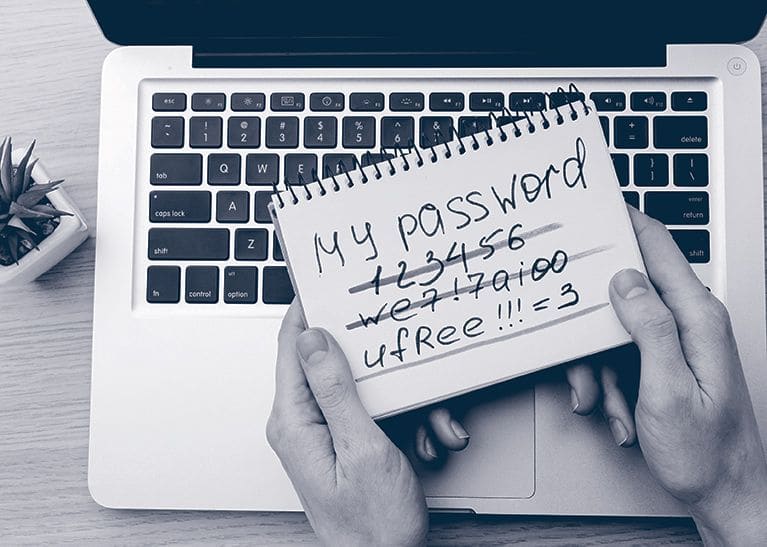
The advice on password security has shifted significantly in the last decade. The old rules (mix uppercase, lowercase, numbers, symbols, change every 90 days) are out. The new rules (long, unique, never reused, paired with MFA) are in. The change matters because the old rules optimised for the wrong threat.
What modern attacks actually look like
Three attack patterns dominate today:
- Credential stuffing. Attackers replay passwords leaked from one breach against every other site. Complexity does not matter. Reuse does.
- Phishing. The user hands their password to a lookalike site. No password is strong enough to survive being typed into the wrong place.
- Database breach plus offline cracking. Stolen password hashes are cracked at billions of guesses per second. Length matters more than complexity here.
The rules that actually work
1. Long beats complex
NIST, the UK NCSC, and every modern guidance body now recommend length over composition rules. A sixteen-character passphrase made of common words is dramatically stronger against cracking than an eight-character random string, and infinitely easier to remember.
2. Unique per account
Reuse is the single largest source of account takeover. A password used on two sites is only as secure as the worst-secured of those sites. The cheapest defence against credential stuffing is to make stuffing pointless.
3. Use a password manager
The only practical way to maintain dozens of unique, long passwords is to delegate the job to software. Every major OS and browser ships one. Dedicated tools (1Password, Bitwarden, Dashlane) offer more features. Pick one and use it.
4. Drop the forced rotation
Forced 90-day rotation produced predictable patterns (Spring2024!, Summer2024!) without meaningful security benefit. Rotate when there is a reason: breach, suspected compromise, departing employee.
5. Check against breach corpora
"Have I Been Pwned" and its API are free. Any new password should be checked against the breach corpus before you adopt it. Many password managers do this automatically.
6. Pair with MFA
Even a perfect password is one phish away from compromise. MFA on every account that supports it. Passkeys where they are offered. SMS as a last resort, not a default.
What a good password actually looks like
The most useful pattern is the diceware passphrase: four to six random words from a large word list, separated by spaces or punctuation. Examples:
- correct horse battery staple
- granite-shovel-mango-treacle-pulse
- winter velvet narrow chrome 47
Each is easy to remember, hard to guess, and well outside the range of practical brute force. Generate them with a password manager or with a real diceware tool, not from your head: humans pick non-random words.
Special cases worth attention
- Master password. The one you actually have to remember. Make it long, unique, and never use it anywhere else. This is the key to your kingdom.
- Email account. Every password reset on every other account flows through here. Treat it like a master password.
- Banking and financial accounts. Long, unique, MFA mandatory, ideally phishing-resistant MFA.
- Recovery questions. Lie. The answer is not "your mother's maiden name." It is another random string stored in the password manager.
What to stop doing
- Stop writing passwords on sticky notes.
- Stop using "Password123!" because it meets the complexity rule.
- Stop using the same password for personal and work accounts.
- Stop relying on browser autofill on shared devices.
- Stop ignoring breach notifications. If a service emails you that your password leaked, change it immediately.
Frequently Asked Questions
What makes a password secure in 2026?
Length and uniqueness, in that order. A long passphrase resists brute force far better than a short string padded with symbols, and a password used on exactly one site cannot be replayed from someone else's breach. Character-class rules, the uppercase-number-symbol requirements most of us were trained on, buy very little and push people toward predictable substitutions.
How long should a password be?
At least 16 characters if a machine generates it, and longer if you are making it memorable yourself. Four or five random words is easier to remember than a short scrambled string and is stronger, because length grows the search space faster than complexity does.
Should I change my passwords every 90 days?
No. Forced rotation is retired advice, and NIST dropped it from its digital identity guidance because of what it does to human behaviour. People increment a digit or fall into a predictable pattern, which makes the next password easier to guess than the last. Change a password when there is a reason to, such as a breach notification or a shared credential leaving with someone.
Is a password manager safe?
Safer than the alternative, which is reuse. A manager concentrates risk in one vault, and that is a real trade-off, but it removes the failure mode that actually causes account takeovers at scale. Protect the vault with a long unique master passphrase and a second factor, preferably a passkey or a hardware key rather than SMS.
Are passphrases better than random passwords?
For anything you have to type from memory, yes. A manager-generated random string is stronger per character, but you cannot remember dozens of them, and the ones you do remember get reused. Use random strings everywhere the manager fills them in, and passphrases for the handful you type yourself, starting with the vault's master password.
Does MFA make password quality irrelevant?
No, it makes a weak password survivable rather than acceptable. Push fatigue and SIM swapping both defeat the weaker second factors, and a credential-stuffing hit still tells an attacker the account exists and the password works. Treat MFA as the layer that buys you time, not as permission to reuse.
The bottom line
The best password is a long, unique, manager-generated passphrase, backed by MFA, and never reused. Adopt that pattern once and you defeat the overwhelming majority of attacks that target passwords today. The transition is mildly painful for a week and then you never think about it again.
More like this
All Scams & Cybersecurity- Scams & CybersecurityAre Passwords Really Dead?These easy login methods might be the nail in the coffin. We take a brief look at the death of passwords, and how to prepare for a…
- Scams & CybersecurityStaying Secure When Logging In: A Practical Guide to Protecting Your Digital IdentityMaster login security with expert insights from building identity systems serving millions of users.
- Scams & Cybersecurity5 Tips for Choosing the Right Password Manager for Your TeamWhen investing in a password manager for business, always prioritize better functionality and security over fancy designs or a…
Get new Scams & Cybersecurity writing
Enjoyed this? Subscribe and tell us what you read most. Scams & Cybersecurity is already ticked for you. No tracking pixels, unsubscribe with one click.